Sunday, November 13, 2016
HOW TO CONFIGURE YOUR SIM TO BROWSE UNLIMITEDLY MTN MAGIC SIM HACK NAIROTECH
HOW TO CONFIGURE YOUR SIM TO BROWSE UNLIMITEDLY MTN MAGIC SIM HACK NAIROTECH
I know the term Mtn Magic Sim Hack shouldnt sound new expecially to most Nigerian internet addicts, i call them The Gurus.. I have for long nursed the idea of posting it online, so my fellow buddies can join the crew of internet geeks enjoying this lovely trick.
The most exciting part of this tutorial i am about to introduce is that some of my friends have been grooving this cheat for the past 4months. After visiting several forums i even got to see several web and blog owners charging their members to release this trick, but on nairotech you get this absolutely free of charge. I noticed MTN blocked the previous method i used in Configuring my own sim.. I remember i posted something on LATEST MTN BLACKBERRY SUBSCRIPTION CODES - DAILY, WEEKLY AND MONTHLY, so please check it out too..
REQUIREMENTS:
- AN MTN SIM ( MTN PULSE) - Dial *406# to migrate to MTN PULSE
- A RECHARGE CARD OF #300.00
 |
| Nairotech.com |
HOW TO CONFIGURE YOUR SIM:
Step One: Recharge your phone and subscribe to mtn 2 hours plan by sending 2H to 131
Step Two: Send 2 to 131 Leave the the sim for 2mins, Dont browse with the Sim yet, understood?
Step Three: Remove Your Battery After 2 Mins and take off your sim for exactly 26hrs, no mistake pls....
Step Four: Put the sim back after 26Hrs, then send 106 TO 131 followed by RESET TO 131 then *123*4*2*1#.... you will receive message that U HAVE INSUFFICIENT TO PERFORM THIS TRANSACTN.
SIM HACKED!
Go to link Download

Sunday, October 23, 2016
How to Browse and Download Unlimited With Etisalat Sim For Just N15 Only
How to Browse and Download Unlimited With Etisalat Sim For Just N15 Only
Go to link Download
Monday, October 17, 2016
How To Browse Unlimitedly With Etisalat Easylife N15 For 3Hours
How To Browse Unlimitedly With Etisalat Easylife N15 For 3Hours

It has been confirmed working and very Fast, Also it works well on PC, Tablet and on every Internet enabled device. Read along.
How Can I Get The Unlimited Data For N15 For 3Hours?
1. Dial *200# to migrate to easy starter
2. Migrate again to easy life by dialing *620*1#
3. Opt in now by dialing *229*3*7#
Thats it.
Advantages Of This Plan
1. Stream unlimited for 3hours.
2. Download till infinity
You can opt out with *227*0# even though opting out isn’t so compulsory like that. If you’ve refused to opt out of the plan it automatically auto renews the plan just as the Eti PayG worked, so always opt out when necessary.
NOTE:- It is 3 hours of unlimited internet per #15 just like Etisalat PayGo.
Be at ease cause it works on PC, Android, iPhone/iPad, even BB10. You don’t need to modify anything, just open browser and Enjoy.
Incase you have any Question, Just drop a Comment here!
Dont Forget To Add your View, Comments on this Post.
Always Like and Share Posts, You can Make use of the Share Buttons below.....
Go to link Download
How To Browse With MTN Bis Plan On PC Tablet With SandwishVPN
How To Browse With MTN Bis Plan On PC Tablet With SandwishVPN

Good day my dear friends, without wasting your time, lets get started.
How Can I Use It To Connect With My MTN Bis Plan?
Click Here to register and get a demo account, then proceed to Download
 Go to link Download
Friday, September 30, 2016
How To Browse On Blackberry Without BIS Subscription
How To Browse On Blackberry Without BIS Subscription

Sometimes, our Blackberry BiS expires and we dont really have enough cash to get back on,
but we just want to browse and seek information online with our normal mb(10mb,20mb data plans) or even with our little credit.
Yes, i will show you how to configure your blackberry to browse without BIS Data Plan.
These Guidelines Will Help You Achieve That:
Goto OPTION >>> enter ADVANCE OPTION then >>>Locate TCP/IP
First, you have to mark APN Settings Enabled then you put the APN(Access Point Network) of the network u are using
ACCESS POINT NETWORK FOR VARIOUS NETWORKS
MTN: web.gprs.mtnnigeria.net
ETISALAT: etisalat
AIRTEL: internet.ng.airtel.com
Then you scroll down and mark APN Authenticaton Enabled
Now put the username and password of the network APN u are using....
Mtn :username and password is web
Etisalat: username and password is etisalat
Airtel is: username and password is internet
Eg; I am using airtel

Wen you are done. Press your blackberry key and save
Workinq fine on all opera 2go and whatsapp
Enjoy!
Go to link Download
Saturday, September 17, 2016
How To Browse Unlimitedly With Mtn Bis On Rooted And Android Phone With DroidVPN
How To Browse Unlimitedly With Mtn Bis On Rooted And Android Phone With DroidVPN
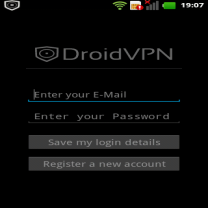
Most of us have already be familiar with DroidVPN, as it is what we are using to surf the net with MTN BIS now on the Android mobile phones. And almost every Android users are now enjoying it. I lately discovered that you dont even need to root your Android device for those running Android 4.0 and above before you can use the DroidVPN. It works even without the tun.koinstaller. Its even faster on Un-rooted than the Rooted Android Devices, without any internet potholes.
How To Use DroidVPN On Unrooted Android Device
1. Just visit Google play store and download droidVPN or CLICK HERE to download
2. Register an account at http://droidvpn.com/signup.php, you will use the account you registerd to sign in to your DroidVPN app
3. Now open the DroidVPN and go to Settings, click Connection Protocol and select UDP
4. Use Port 500
5. Make sure your MTN Blackberry plan is active with blackberry.net as your APN
6. Connect and surf with the fastest speed ever
There is something special about DroidVPN, It makes you browse unlimited. I experimented it with BISday plan and i bet, i have already downloaded more than 8GB. The job of this VPN is to make your internet surfing unlimited if you are a premium user. But it places 100MB embargo on free users.
Go to link Download
Monday, September 5, 2016
HOW TO CONFIGURE YOUR HTC SMARTPHONES TO BROWSE NairoTech
HOW TO CONFIGURE YOUR HTC SMARTPHONES TO BROWSE NairoTech
I am posting this Tutorial because i have also encountered difficulty in configuring a friends phone [ HTC SMARTPHONE] - Caleb Amosu..... Since 2009 i started configuring phones and pc to browse i have always succeeded but, when i came in contact with HTC SMARTPHONES then, i knew their was trouble.....lol!
While doing my daily online research, just saw a solution to this issue/challenge and ive so far decided to share with you all... Please, bear in mind i have not tried or confirmed it if probably itll work but from the little knowledge ive acquired so far on NETWORK CONFIGURATION SETTINGS, it should work..

So, without taking much of your time, lets quickly or should i say hurriedly proceed to the next step on how to manually configure your HTC SMARTPHONE.. Please, follow the steps i am about to give without mistakes to ensure your phone is well configured and if by chance you dont understand... #GuessYouKnowWhat ToDo--- Use the comment box.. Ok, lets Ride..
HOW DO I CONFIGURE MY HTC SMARTPHONE ?
Step One: Locate your mobile MENU -> SETTINGS -> CONNECTIONS -> LOCATE GPRS, & Click on MENU to add new settings just as stated below:-
FOR ETISALAT USERS:
- Connects To => The INTERNET
- Access point=> etisalat
- Username=> wap
- Pasword=> wap
- Authentication Type -> Chap
- Primary DNS & Secondary DNS => insert any working IP or 82.145.211.1 or 82.145.210.16 After that, just click Done to save your work.
- Next, is to move to no. 6 proxy, then click on ADD NEW again to complete configuration
- Connects From => WAP NETWORK
Proxy (name: port) = 80 OR 9201
Type => WAP * Username and Password= wap then click Done also.
- NEXT, Goto your web browser which is INTERNET EXPLORER, press your right button MENU, scroll down to TOOLS -> OPTIONS -> click on CONNECTIONS, Mark or tick AUTHOMATICALLY DETECT SETTINGS
- Select Network=> The Internet. After that, launch out your Internet explorer, download Operamini compatible or that suites or fits your smartphones
MTN NIGERIA USERS:
Configuration Name: MTN WEB
IP: 010.199.212.002
APN ( Access Point Network) : web.gprs.mtnnigeria.net
Username And Password: web & web
PORT: 80 or 8080
Homepage: http://www.mtnonline.com
If you are using a different network and you are having issues configuring your HTC SMARTPHONE, then you can make use of the comment box for more help... Have a nice day!
Go to link Download
Thursday, September 1, 2016
How To Browse Free Unlimited on Android wit MTN BIS Plan
How To Browse Free Unlimited on Android wit MTN BIS Plan

Yes, its no new shit, i have been browsing on MTN Using BIs tweak on my Android Phone.
I remember posting an article MTN Unlimited Browsing and Download some weeks ago, this article is just to remind and refresh us on the MTN BIS Unlimited Browsing of a thing, Currently, i am using the MTN BIS monthly plan on my Android Phone, and its working perfectly.
I am updating this post and tweak, with respect to the new update on Simple Sever Application, which i Posted also see: Download The New Simple Sever Version Two For Android
This MTN BIS plan is of three categories, the Monthly, Weekly and Daily.
All of them Works perfectly and Unlimited.
To use to this, you need to Subscribe to one of the MTN BIS plans,as shown below, depending on the one that suits you.
You can start with the daily plan, just to test it, of it works, which is N70.
To Subscribe For the MTN BIS:
For;
Monthly Plan: Text BBLITEM to 21600, cost N1000
Weekly: Text BBLITEW to 21600, cost N350
Daily: Text BBLITED to 21600
After sending this message you will receive a Notification saying :
Your request is now being processed. Please do not send another. We will send you a confirmation once completed. Thank you!
if you check your account balance at this point, they would have deducted the required amount, depending on the Subscription you choose.
In few Minutes time, you will receive a message (for the daily plan):
Welcome to MTN BlackBerry BBLITED. You have 10MB inclusive data bundle, Costs N70.0. Auto renew your Subscription and enjoy wonderful discounts. Thank you!
"You have 10MB inclusive data bundle"
#lol - Just ignore the message. You will browse and Download till you are tired for the next 24hrs.
Before this Tweak can work effectively on your Android, you need to have downloaded the Simple Server Application, Download The New Simple Sever Version Two For Android.
After downloading it, goto your Phone settings and create a need Access Point Settings. With IP Address: 127.0.0.1 and Port: 8080 , APN: web.gprs.mtnnigeria.net
If you have any problems doing this visit
Note: This Tweak works perfectly on all Android Apps.
If this stuff doesnt work on Whatsapp, Messenger or any chat Application, you can Setup TroidVPN on your phone to use it. See:- How To Setup MTN TroidVPN on Android
Dont Forget To Add your View, Comments on this Post.
Always Like and Share Posts, You can Make use of the Share Buttons below.....
Go to link Download