Showing posts with label motorola. Show all posts
Showing posts with label motorola. Show all posts
Wednesday, November 30, 2016
How to root Motorola Fire XT311 with SuperOneClick method
How to root Motorola Fire XT311 with SuperOneClick method
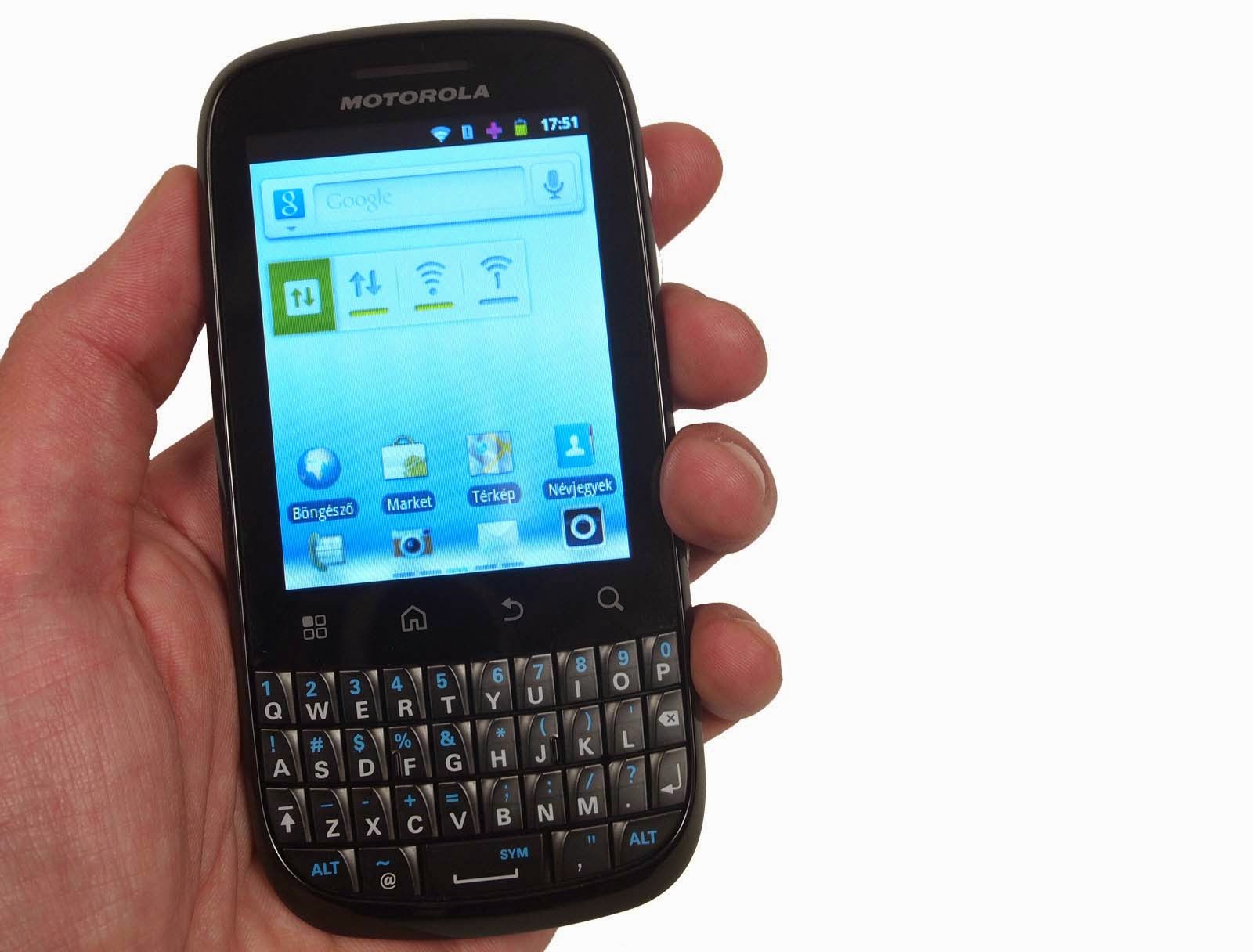
In this article we are gonna explain you how to root your Motorola Fire XT311, So here we are gonna-be using the SuperOneClick to root your device.
All you need to do is follow the instructions on how to gain root access on your Motorola Fire XT311 using tools from our Android repository (Powered By Googzone). The process is painless and pretty easy. Click here to continue reading.
Go to link Download

Sunday, October 9, 2016
How to Root and update Motorola Charm MB502 With Android Gingerbread 2 3 7 using SuperOneClick
How to Root and update Motorola Charm MB502 With Android Gingerbread 2 3 7 using SuperOneClick

In this article we are gonna explain you how to root your and update Motorola Charm (MB502) With Android Gingerbread (2.3.7) using SuperOneClick.
All you need to do is follow the instructions on how to gain root access on your Motorola Charm (MB502) using tools from our Android repository (Powered By Googzone). The process is painless and pretty easy. Click here to continue reading.
Go to link Download
Thursday, October 6, 2016
How to One click direct Root Motorola Milestone 2 with root tool for Gingerbread
How to One click direct Root Motorola Milestone 2 with root tool for Gingerbread

In this article we are gonna explain you how to root your Motorola Milestone 2 with root tool for Gingerbread.
All you need to do is follow the instructions on how to gain root access on your Motorola Milestone 2 with root tool for Gingerbread using tools from our Android repository (Powered By Googzone). The process is painless and pretty easy. Click here to continue reading.

Go to link Download
Thursday, September 8, 2016
How to Root Motorola Moto E
How to Root Motorola Moto E

If you are one among those who want their phone to improve. Here the way how you can
improve your phone in order to gain admin rights through rooting.

You can increase your battery life, flashing customs ROMs like CyanogenMod which provide a whole
different look and feel, rooting moto E makes the device even more better.
So heres how to root the Moto E. (Windows PC required)
* go to the Android SDK site if you dont have the Android SDK with the Latest Updates.

* Click on Get the SDK for an Existing IDE > Download the Stand Alone SDK for Windows.

* Check that you agree to the terms and click Download the Stand Alone SDK for Windows.

* Then Save the SDK to your Desktop.

* Double click the exe file and follow the prompts.

* Make sure it is c:android-sdk in the text field when prompted before hitting Next.

* Continue until it installs and then check the box that says Start SDK Manager and hit Finish.

* Check off Tools and click Install.

* Turn off the Moto E and turn it back on by holding down volume down and power for 6 seconds and then letting go.

* Connect the Moto E to your PC via USB cable.

* Go to C:android-sdkplatform-tools on your PC, hold shift on your keyboard, right-click in any blank area, and select open command window here.

* In the command prompt type the following and hit enter at the end of the line:
fastboot oem get_unlock_data

* Copy and paste everything that comes up besides the words “(bootloader)” into Windows notepad.

* Remove all of the spaces so it becomes one long line of characters.

* And go Motorolas site to unlock the bootloader.login if asked.

* Copy and paste the long string of characters into the text box in step 6 on Motorola’s site and click Can my device be unlocked.

* Check I agree and click Request Unlock Key.

* When you received the unlock key via email, type the following into the command prompt and hit enter at the end of the line:
fastboot oem unlock [YOURKEY] *replace [YOURKEY] with the key you received via email from Motorola.

* Download the SuperSU .zip file and save it to your desktop.

* Copy the SuperSU .zip file to the internal storage of your device.

* Turn off the phone and turn it back on by holding down volume and power for 6 seconds and then letting go.

* Download CWM recovery and save it inside C > android-sdk > platform-tools folder.

* At the Windows command prompt, type the following, hitting enter at the end of the line:
fastboot flash recovery recovery.img

* Tap volume down on the Moto E to highlight recovery and push volume up to select it.

* Using the volume buttons to navigate and power to select, install zip from sd > choose zip from sd > 0

* Select the SuperSU zip file and flash it.

* Select advanced > reboot to bootloader.

* Select No if asked to fix root.

* At the Windows command prompt, again type the following with hitting enter at the end of the line:
fastboot flash recovery recovery.img

* Select Normal Power up on the device.

When it reboots, you should see SuperSU in the app drawer. All done!

This great little app allows you to back up not just your entire device but also specific apps and their app data. Titanium Backup is especially useful when you install a new ROM and dont feel like reinstalling each app you had previously.
Go to link Download
Monday, September 5, 2016
How to Root the Motorola Droid 2 Global on Android 2 2 Froyo Gingerbread 2 3 4 WINDOWS
How to Root the Motorola Droid 2 Global on Android 2 2 Froyo Gingerbread 2 3 4 WINDOWS

In this article we are gonna explain you how to root your Motorola Droid 2 Global on both Android 2.2 Froyo & Gingerbread 2.3.4 .
All you need to do is follow the instructions on how to gain root access on your Motorola Droid 2 Global using tools from our Android repository (Powered By Googzone). The process is painless and pretty easy. Click here to continue reading.

Go to link Download
How To Root Motorola Milestone 3 Xt860 Tutorial
How To Root Motorola Milestone 3 Xt860 Tutorial
.jpg)
Go to link Download
Saturday, September 3, 2016
How To Root Motorola Milestone XT720 Running Android 2 2 1 FroYo With SuperOneClick
How To Root Motorola Milestone XT720 Running Android 2 2 1 FroYo With SuperOneClick

In this article we are gonna explain you how to root your Motorola Milestone XT720 as it supports the Android versions upto 2.2 FroYo, So here we are gonna-be using the SuperOneClick to root your device.
All you need to do is follow the instructions on how to gain root access on your Motorola Milestone XT720 Running Android 2.2.1 FroYo using tools from our Android repository (Powered By Googzone). The process is painless and pretty easy. Click here to continue reading.
Go to link Download
Saturday, August 27, 2016
How To Root Motorola Razr V Xt889 Updated Tutorial
How To Root Motorola Razr V Xt889 Updated Tutorial

In this article we are gonna explain you how to root your Motorola Razr V Xt889. All you need to do is follow the instructions on how to gain root access on your Motorola Razr V Xt889 using tools from our Android repository (Powered By Googzone). The process is painless and pretty easy. Click here to continue reading.
Go to link Download
Subscribe to:
Posts (Atom)