Showing posts with label applications. Show all posts
Showing posts with label applications. Show all posts
Sunday, November 27, 2016
How To Download Blackberry Pro Applications Games And Themes For Free
How To Download Blackberry Pro Applications Games And Themes For Free

This is very simple to do, but most of the time people who uses blackberry device always compare their device with other phones, that is the reason why most them will go into conclusion that blackberry does not have cool applications, but am sure that those people are the type who download free applications in the blackberry Applications store.
Today i will give you the scope on how to get more out of your blackberry device with premium contents.
One thing about Nigerians is that they like free things, they dont want to pay for anything. The moment they get up to about 4 or 5 paid applications on their phone, they will get addicted to it, but today you are going to learn how to get almost all paid content for free e.g Applications, Games and Themes.
Way of Downloading Top Paid Applications, Games or Themes for Free Without the use of Application World.
All you have to do is just simple:
1} CLICK HERE to download and installed paid Application, Games and Themes as many as you like for free.
 Go to link Download
Friday, September 9, 2016
How to Duplicate Clone Any Android Applications
How to Duplicate Clone Any Android Applications
This is some kind of burst into already created application. Indeed Apk Editor app is a great software that has been confirm as the best app for this purpose.
This Apk editor app can do the following features well, only when it is used properly. Such as, string localization, background image replacement, layout re-architecture, and even ad eliminating, permission removing.
In other case, Apk
Go to link Download
Wednesday, August 31, 2016
How To Add Two or More BBM applications on Android
How To Add Two or More BBM applications on Android
BBM for Android is a familiar thing. Already many blackberry users are switching to use android , because the BBM can be used in android.
This time we will share how to be able to use 2 or more BBM accounts in android phone. So first android phone can have two or more BBM pin.
Heres how you can do if you want to add BBM in android phone.
1. On your phone already installed default applications that BBM the mark with BBM icon.
2. Search in google, use keywords BBM2 for android.
3. Once found, download and install the application.
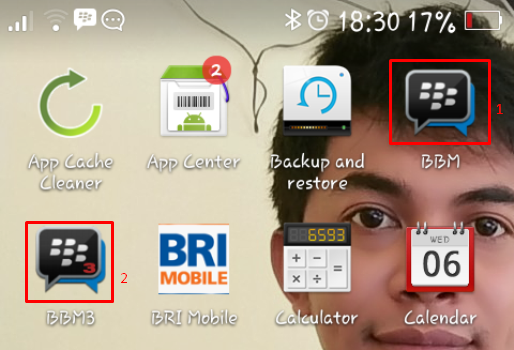
4. Once successfully installed, there will be 2 BBM icon on your android menu.
CAT: to add BBM again, please insert your keywords in google BBM3, BBM4, BBM5, download and install on your phone Andoroid. It will make your android phone has a 5 BBM (5 PIN).
Below is the view from my android, where there are two BBM applications already installed.
Go to link Download
Saturday, August 27, 2016
How to Install LINE Applications on PC
How to Install LINE Applications on PC
How to Install LINE Applications on PC - LINE is a free messenger apps that are popular today has reached 100 million users worldwide.
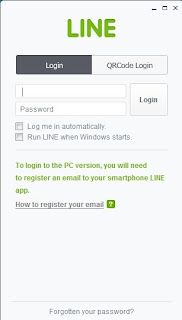
In addition to providing service to chat LINE Free Call LINE and now has many new features such as games and so on.
One unique feature is Sticker, emoticons are different from other messenger applications.
LINE is available for Android smartphones, Iphone, BlackBerry, Windows Phone and on PC Windows and Mac OS.
For frequent use pc or laptop computer please download LINE from HERE
In addition to providing service to chat LINE Free Call LINE and now has many new features such as games and so on.
One unique feature is Sticker, emoticons are different from other messenger applications.
LINE is available for Android smartphones, Iphone, BlackBerry, Windows Phone and on PC Windows and Mac OS.
For frequent use pc or laptop computer please download LINE from HERE
Go to link Download
Subscribe to:
Posts (Atom)