Showing posts with label gtbank. Show all posts
Showing posts with label gtbank. Show all posts
Tuesday, November 29, 2016
HOW TO CHECK YOUR GTBANK ACCOUNT BALANCE BY SMS FOR FREE
HOW TO CHECK YOUR GTBANK ACCOUNT BALANCE BY SMS FOR FREE
If you are a Student and you are not using GTBank, You need it. I Remember some Few Weeks back when i was expecting money from my mum, I have to keep going to the Bank every Hour just to know if my Account has been Credited or not because the Alert is not coming
Now you can check your Bank Account Balance on the Go! with the New GTBank SMS Balance Features.
HOW CAN I CHECK MY GTBANK ACCOUNT BALANCE BY JUST SENDING AN SMS?
Compose New Text Message, Then Type bal follow by your Nuban Account Number and Send to 08100550000
Its Simple! Expect your Account Balance immediately after Sending it.
NOTE:- You can only check your Balance with the New Nuban Account Number, The Old Account Number wont work.
I hope this helps.
If you have anything to say or ask, Kindly make use of the comment form below. If you also want me to post a short review of your company or product, on this blog, do not hesitate to contact me.
Please, do not forget to SUBSCRIBE to this blog, so that you can be receiving future articles, freebies DIRECTLY into your email inbox, even when you are not online.
CLICK HERE TO SUBSCRIBE NOW!
Cheers!
Go to link Download

Monday, November 28, 2016
How To Buy Airtime with GTBank using the Instant Top Up Recharge Code
How To Buy Airtime with GTBank using the Instant Top Up Recharge Code
Recharging one’s mobile line has never been easier as GTBank Nigeria has rolled out several methods to quickly purchase call credit or mobile recharge as it’s often called and get billed from your GTB account.
Simplest ways to recharge via GTBank in Nigeria
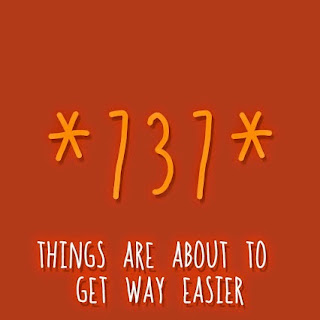
With the new GTBank recharge process, you simply need to send an SMS or dial a shortcode from your line, and your account get’s billed.
Note: You must use the same phone number which is registered on your GTB account. If not, this tutorial won’t work for you. If you might have misplaced your line used in your account registration, you’ll need to visit the nearest GTB branch so they get your new line running with your account.
Method 1: How To Recharge via GTB SMS
It’s quite easy, follow the steps below.
1. Launch the SMS app of your mobile phone and type “Network Amount NUBAN no.“. For instance, if you want to recharge your MTN line with 750 recharge, type “MTN 750 1234567890“. Please type without quotes, and remember that your NUBAN number refers to your GTB account number.
2. Send the SMS to 080766655555.
That’s all you need do as your phone would get recharged with your desired airtime as your accounts gets billed accordingly.
Method 2: Buying Airtime via GTBank’s Recharge ShortCode
This method is easier and yet effective to recharging via GTBank. All you need do is detailed as follows.
1. Dial *737*Amount# and that’s it. For instance, you want a N1,500 recharge, dial *737*1500# from the line used in your GTBank registration.
These are simple right? I hope this post is useful. Please kindly share this post on your social medias.
Simplest ways to recharge via GTBank in Nigeria
With the new GTBank recharge process, you simply need to send an SMS or dial a shortcode from your line, and your account get’s billed.
Note: You must use the same phone number which is registered on your GTB account. If not, this tutorial won’t work for you. If you might have misplaced your line used in your account registration, you’ll need to visit the nearest GTB branch so they get your new line running with your account.
Method 1: How To Recharge via GTB SMS
It’s quite easy, follow the steps below.
1. Launch the SMS app of your mobile phone and type “Network Amount NUBAN no.“. For instance, if you want to recharge your MTN line with 750 recharge, type “MTN 750 1234567890“. Please type without quotes, and remember that your NUBAN number refers to your GTB account number.
2. Send the SMS to 080766655555.
That’s all you need do as your phone would get recharged with your desired airtime as your accounts gets billed accordingly.
Method 2: Buying Airtime via GTBank’s Recharge ShortCode
This method is easier and yet effective to recharging via GTBank. All you need do is detailed as follows.
1. Dial *737*Amount# and that’s it. For instance, you want a N1,500 recharge, dial *737*1500# from the line used in your GTBank registration.
These are simple right? I hope this post is useful. Please kindly share this post on your social medias.
Go to link Download
Sunday, October 23, 2016
How To Create A GTBank Verified Paypal Account In Nigeria
How To Create A GTBank Verified Paypal Account In Nigeria
Few days back from time of this post, every Nigerian internet marketer would kill to have a Paypal account so as to easily run their online businesses but that wasn’t possible as a result of Nigeria not listed in their supported countries, though there are several ways to bypass their restriction and create a Paypal account in unsupported countries, it still wasn’t easy managing such accounts.
The good news all came up when Rupert Keeley, the executive in charge of the EMEA region of PayPal, the payments unit of eBay Inc, said in an interview on Monday (16th June, 2014) that 10 new countries were going to make their list of which Nigeria was included.

Paypal has been the world’s major means of Payment on the web, and bringing their services to Nigeria is one welcome development we have always been praying for. Though for now, Paypal has not enabled peer-to-peer transactions in Nigeria, you can only make purchases and not receive payments with your Nigerian Paypal account.
- Must Read: My 6 Secrets To Managing Paypal Accounts From A Blacklisted Country
How To Signup A Nigerian IP Based Paypal Account
Here is a beginners guide to signing up a paypal account from Nigeria.
1. Visit Paypal Nigerian homepage viahttps://www.paypal.com/ng/ and click on Signup at the top right corner of the page.
2. Click on “Open Account” under the “individual” section for a personal account.
3. Fill in all details and click on “Agree and Create Account“.
Getting Verified Using GT Bank’s Naira MasterCard
Without verifying your paypal account, you would be placed at a $250 limit. Verifying your paypal account lets you spend as much as you will.
- Must Read: How To Verify A Paypal Account Using A Payoneer Mastercard
4. A new page would come up with a form to log in your Card details. I used my GT Bank’s Naira MasterCard to get mine verified.
5. You’ll be redirected to your account’s dashboard. But there are few things you still need to do. Firstly, you have to activate your paypal account by clicking the activation link sent to the mail you registered the account with. Secondly, you need to link and confirm your credit or debit card. Click on “Link and confirm credit or debit card” or “Get Verified” link in your account’s dashboard, insert your GTB Mastercard details here again, then click on “Continue“. You can make use of any Nigerian bank’s Visa or MasterCard.
6. Paypal would deduct $1.95 from your card which they’ll refund in 24hrs. Now, your bank will alert you via SMS or email with a code which you’ll use in completing the whole verification process.
Your bank’s SMS alert should read.
Acct:******1234
The Naira equibvalent of USD1.95 has been authorized for the transaction done on PP*0123CODE 0123456789FF
What you need do is copy the 4 digits before CODE (highlighted in red) from your mail or SMS alert. That’s what you need to confirm your card.
7. You now have to login once more to your Nigerian Paypal account and click on “Confirm Card” link which should appear on the right sidebar of your dashboard. Then type in the four-digits you copied from your bank alert and click on “Confirm Card” as shown below.

8. You’ll get a success popup if everything was fine and successful.

Here is a screenshot of my Nigerian verified Paypal account.

And that’s how easy it is to signup a Nigerian Paypal account and get verified using any debit or credit card. Remember, I made use of my GTBank MasterCard here and it did work for me.
FAQ about Nigerian Based Paypal Accounts
Ques: Does Paypal only support the GTB Naira MasterCard In Nigeria?
Ans: No, people also making use of UBA, Zenith, Access and some others bank’s credit cards have been verified using same procedures in this tutorial.
Ans: No, people also making use of UBA, Zenith, Access and some others bank’s credit cards have been verified using same procedures in this tutorial.
Ques: What Credit Card Types are accepted by Paypal?
Ans: Paypal supports Visa, MasterCard, American Express and Discover Debit or Credit Cards
Ans: Paypal supports Visa, MasterCard, American Express and Discover Debit or Credit Cards
Ques: How Do I Fund My Nigerian Paypal account to make online purchases?
Ans: You don’t have to worry about funding your paypal, whenever you make an online purchase, your linked credit/debit card would be charged.
Ans: You don’t have to worry about funding your paypal, whenever you make an online purchase, your linked credit/debit card would be charged.
Ques: Can I make Transfers to other Paypal Accounts?
Ans: No, for now Paypal has not enabled peer-to-peer transactions in Nigeria.
Ans: No, for now Paypal has not enabled peer-to-peer transactions in Nigeria.
Ques: Do I need a token device before I can get Verified?
Ans: No, that isn’t necessary
Ans: No, that isn’t necessary
Ques: Can I add My Bank Account to Nigerian Paypal like I did in my US Paypal?
Ans: No, PayPal doesn’t offer this feature at this time for Nigerians.
Ans: No, PayPal doesn’t offer this feature at this time for Nigerians.
Ques: Can I add more than 1 Debit/Credit Card to my Paypal account?
Ans: Yes
Ans: Yes
Ques: Can I purchase services from sites like Fiverr, Addynamo, Amazon with a Nigerian Paypal?
Ans: Yes, it works on all sites that accept Paypal payments.
Ans: Yes, it works on all sites that accept Paypal payments.
Now, I’ll be glad to know which card you used in verifying your Nigerian Paypal account. Share your thoughts using the comment section below, and please do not forget to share this post with your friends. They might find it useful. Cheers!
Go to link Download
Subscribe to:
Posts (Atom)