Showing posts with label xl. Show all posts
Showing posts with label xl. Show all posts
Monday, November 28, 2016
How to Root Nokia X and Nokia Nokia X XL
How to Root Nokia X and Nokia Nokia X XL
Nokia X and Nokia Nokia X + XL officially revealed at MWC 2014 in February end and now Nokia X already available for pre-order in a number of countries, such as China and Malaysia. Interestingly, all three Nokia phones are sold at affordable prices but unfortunately runs on Android 4.1 version of the Android Open Source Project (AOSP) without access to Google Play Store.
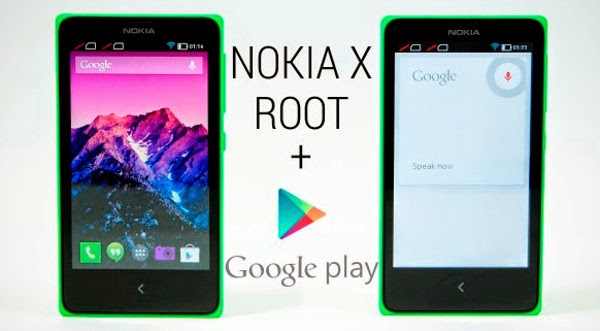 As for the interface of the Nokia X is a combination of the three OS (Windows Phone, Android and Asha) that might be called the Nokia UI 1.0. Therefore, using the open source version of Android, Nokia X could have several different launcher installed. Besides Nokia X can also root, which can open a custom ROM and a number of Google applications.
If you want to root Nokia X, Nokia or Nokia X + XL, then you can follow the following steps:
1. Download Framaroot.apk on Nokia X Nokia Nokia X + or XL.
2. Use the built-in Astro file manager and browse the folder where you downloaded Framaroot.apk, then tap the icon to install.
3. Currently there are two options do the install root "Aragorn" and "Gandalf", you need to do is select the "Gandalf" by tapping it.
4. If youve installed selasai do, the last thing you do is reboot the Nokia X, X + or Nokia Nokia XL. After the Nokia X, X + or Nokia Nokia XL already root. If the above steps are still not clear, then you can see how to root the Nokia X via the video below.
If you want to root Nokia X, Nokia or Nokia X + XL, then you can follow the following steps:
1. Download Framaroot.apk on Nokia X Nokia Nokia X + or XL.
2. Use the built-in Astro file manager and browse the folder where you downloaded Framaroot.apk, then tap the icon to install.
3. Currently there are two options do the install root "Aragorn" and "Gandalf", you need to do is select the "Gandalf" by tapping it.
4. If youve installed selasai do, the last thing you do is reboot the Nokia X, X + or Nokia Nokia XL. After the Nokia X, X + or Nokia Nokia XL already root. If the above steps are still not clear, then you can see how to root the Nokia X via the video below.
Go to link Download

Friday, November 11, 2016
How To Root HTC One XL
How To Root HTC One XL

So you have an HTC One XL smartphone and you want to tinker around with it? Great! Everyone who owns an Android smartphone wishes if he could have freedom over all the elements of his device. That includes flashing custom ROMs, changing system files a bit and maybe uninstalling some system apps that are nothing but junk for you. Before you can do all of these tinkerings, you’ll need to root your device. The guide below shows how you can go about rooting your HTC One XL smartphone and getting the best out of it:
I. Before You Begin:
1. This will void the warranty of your device. However, you can reinstate the warranty by unrooting your device if there’s any unrooting procedure available.
2. You must have unlocked bootloader of your device. Head here to learn how you can do that.
3. You should have appropriate drivers installed on your PC. If you don’t, download the latest drivers from here.
II. Downloading Required Files:
1. Root Package (Download link’s available in the first post, in step-2)
III. Rooting the HTC One XL:
1. Download and place the Root Package archive on your Desktop.
2. Extract files from the archive over to your Desktop.
3. Turn ON the USB debugging option on your device by heading to Menu>>Settings>>Developer options>>USB debugging.
4. Plug in your device to your PC using the USB cable.
5. Double-click on root.bat file available on your Desktop and it should start rooting your device.
6. It’ll take a couple of reboots to properly root your device. So don’t be afraid when your device turns OFF and then turns ON.
7. You should be rooted now!
Congrats! Your HTC One XL has been successfully rooted and is all ready to be loaded with your favorite root-only apps!
If this procedure helped you please thank/donate to the original developers here.
ALTERNATIVE
ALTERNATIVE
- First of all Unlock The Bootloader. HOW? Follow Unlock Bootloader Of HTC Smartphones.
- Make Sure that USB Debugging is enable, go to Settings > Developers Option and Tick the USB debugging.
- Make sure that Fastbboot/ADB is configured on PC.
- Download Super SU and CWM Recovery for HTC One XL.
- Now Copy the CWM Recovery image to fastboot Folder and Rename it to Recovery.
- Turn off your phone and open Bootloader/Fastboot mode. How? Press and hold Volume Down + Power button until the Soft Keys blinks for 6 times then Loose the Power Button but keep pressing Volume Down button.
- Now Connect your device with PC.
- Now Open Command prompt in Fastboot Folder, How? Hold Shift Key and Right Click anywhere in the Fastboot folder.
- Type the following Command: fastboot flash recovery recovery.img
- After the Process is done, on Phone Select Reboot Bootloader.
- Now select Recovery from Bootloader.
- Once the Recovery is Open, select the following.
- Now select ‘Install zip from sd card’, then select ‘choose zip from sd card’.
- Select the Super SU.zip file and confirm the installation on next screen.
- After that, +++++Go back. and Reboot System now
Go to link Download
Sunday, September 18, 2016
How To Format Hard Reset Nokia X X and Nokia XL Android Phone
How To Format Hard Reset Nokia X X and Nokia XL Android Phone
How To Remove Pattern Lock From Nokia X android, Hard Reset Nokia X Android Hard Reset Solution If You Forgot Your Screen Lock Combination Or Password.
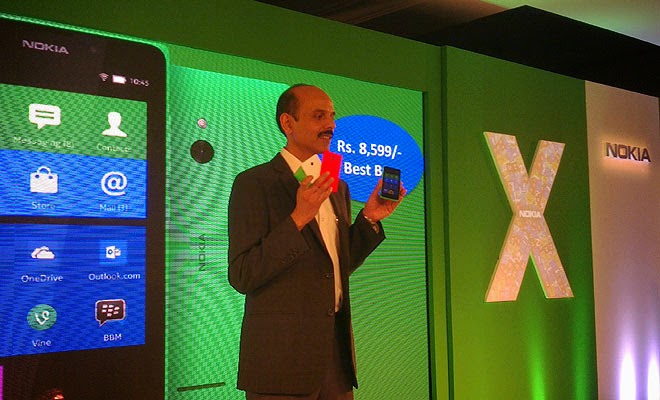 Follow These Simple Steps
Warning! All Data that is on your phone Will Be Lost.
- Press Together Volume Up + Power Button.
- Release Your Fingers Of The Phone When Nokia Logo Appear And Keep Pressing Volume Up.
- Choose With Volume Buutons "wipe Data/factory Reset" And Select It With Power Button of the phone.
- Choose "yes" With Volume Buttons And Select It With Power Button
- Wait Untiil Format Is Complete. Check the below image practically.
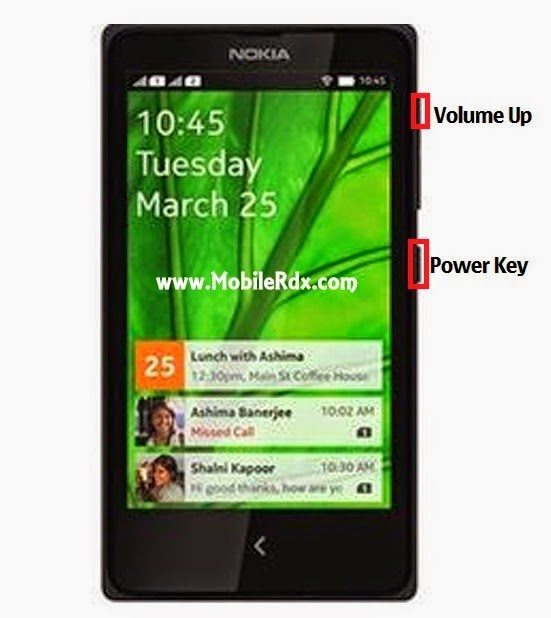
Then Select "reboot" Now youve Done. Enjoy and invite your friends.
Go to link Download
Saturday, September 17, 2016
How To Root Nokia X X and XL Android In Just 5 Minutes
How To Root Nokia X X and XL Android In Just 5 Minutes
Since the Nokia team announce the release of its first Android Smartphone ever Named Nokia X, X+ and XL and now finally you can now easily rooted this Nokia X series in just 4 simple steps within 5 minutes.

If you are interested for rooting your Nokia X model, just follow this simple steps below. This procedure is likely to void the phones warranty, so have this in mind when you fire up the root application on your first Nokia with Android operating system.

If you are interested for rooting your Nokia X model, just follow this simple steps below. This procedure is likely to void the phones warranty, so have this in mind when you fire up the root application on your first Nokia with Android operating system.
- New Download New Whatsapp+ For Android users
- Download Framaroot.apk
- Now Install it (you can use the built-in Astro file manager Download here, to locate where is downloaded) & Open
- Between “Aragorn” and “Grandalf” Click on Grandalf.
- Now Reboot your device. Its just as easy as that, after your phone has been rebooted, Your Nokia device has been rooted successful.
Go to link Download
Subscribe to:
Posts (Atom)