Showing posts with label browsing. Show all posts

Sunday, November 20, 2016

How to Get MTN 3GB MTN Free Browsing Cheat

How to Get MTN 3GB MTN Free Browsing Cheat


MTN Free Browsing Cheat. How to Get MTN 3GB And The Amount
This is the only best Browsing Plan so far. Now that Airtell BBS is no longer working again you need to get this mtn 3GB. Let me Tell you how it works
1 GB for day time and the remaining 2GB for night as from 9:00Pm to 6:00 Am
HOW TO SUBSCRIBE TO MTN 3GB PLAN

Buy MTN AIRTIME N2500 only and go to your message folder and great a new text message, Type  102 and send to 131. Wait for some minute you will be sent a message from 131 said your have receive 1.5GB Extra data in the MTN Data Delight offer, you now have 3.5GB. valid for 30Days.
NOTE: If your can not finish your 3GB you will be auto renew data, when you recharge upto 2500.
TO CHECK YOUR 3GB DATA PLAN just send 2 To 131and you will receive a message about your data plan balance.
NOTE: It works with PC, BlackBerry,Smartphones,Android And Normal Mobile Browsers.
IF YOU LIKE THIS OFFER THEN SHARE IT TO YOUR FRIENDS AND DON’T FORGET TO LIKE OUR FACEBOOK PAGE www.facebook.com/Realstudiofm or you can also follow us on twitter visit www.twitter.com/mycitynews234

Go to link Download

Read more »

Monday, October 31, 2016

How to Activate Glo Magic Sim Card Free Browsing Cheat

How to Activate Glo Magic Sim Card Free Browsing Cheat


Yes! Glo magic sim card free browsing tweak is now visible, and am going to say that it is the latest free browsing tweak for Glo Nigeria. It gives you unlimited download internet access for just N100. Now every one prefer magic sim card tweak to every other tweak because of the magic sim card efficiency level and easy to use compatibility. The Glo magic sim is a long awaited free browsing tweak on Glo platform buy now it is finally here after a lot of hard work.

Follow this Step on how to activate Glo Magic Sim Card For Free Browsing

Step 1
* You need to migrate your plan! Migrate to Glo gbam
* You can migrate to Glo gbam by dialing *100*5*1#
Step 2
* On how to activate Glo magic sim card tweak
* Recharge N500 airtime
Step 3
NOTE Glo magic sim card tweak is enhanced or fortified using Glo one day plan
To activate Glo one day plan towards activating Glo free browsing

Dial *127*10#

Now browsing normally on your Glo for 1hours

After browsing for an hour Remove your Glo sim card from phone or modem

Keep it and dont use it for 25hours

After keeping your Glo sim card for 25hours, insert it back into your phone or modem

Now you can enjoy your free browsing using Glo magic sim card tweak


Go to link Download

Read more »

Friday, October 28, 2016

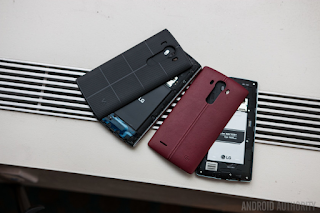
HOW TO SPEED UP WEB BROWSING TO LG V10

HOW TO SPEED UP WEB BROWSING TO LG V10


Those who own a LG V10, could also be experiencing slow and insulation web speeds on your smartphone. you will be having these issues with the Google Chrome or the AndroidBrowser, however the nice news is that you just will speed up your net browsing on the LG V10.

Below we’ll justify however youll be able to fix issues associated with web once it’s slow, laggy and buggy that cause a headache for thus many various users. the following pointers square measure from a Reddit user UN agency explains his very simple answer to up the net browsing expertise that works for the LG V10. What we’ll be doing is permitting the browser to use additional of the devices RAM to boost performance, particularly whereas scrolling.

Even though these changes won’t build your web speed immoderate quick, the following pointers can give you with an honest speed boost once browsing the net. The quicker web speed are going to be detected once mistreatment sites jam-packed with pictures or animated GIFs. thus if you wish a quicker net browsing on the LG V10, follow the directions below.


How to Speed Up net Browsing On LG V10
To speed up the LG V10, youll be able to access the hidden Google Chrome browser options. youll be able to access these choices by simply typewriting into the address bar. rather than typewriting Twitter.com within the address bar, follow the directions to access the hidden menu to induce quicker web speed:

Turn on the LG V10
Go to the Chrome Browser
Type or copy/paste “chrome://flags into the uniform resource locator bar”
Browse for “Maximum tiles for interest area” (#max-tiles-for-interest-area ) within the list
Tap the Dropdown menu titled “Default” and alter to 512
At the lowest, choose “Relaunch Now” to verify the changes


It’s vital to notice that you just mustnt modification the other choices or settings within the Chrome://flags menu, because it might cause the net browser to become unstable or perform but expected. Most of the choices square measure for beta testing or future options that have nevertheless to be completed.

After following the steps from higher than, you must currently be able to have a quicker web speed once mistreatment the Chrome Browser on your LG V10.

Go to link Download

Read more »

Sunday, October 23, 2016

Hot Blazing Airtel Free Browsing Tweak For Android Symbian Java and PC

Hot Blazing Airtel Free Browsing Tweak For Android Symbian Java and PC


A+A-
PrintEmail
Hi lovely viewers and welcome to this post, Airtel is now blazing well with PD-Proxy, Your-freedom, Opera Mini Handlers etc. This month seems to favoured all Airtel users with the latest free browsing tweak after so many months of being tweak-less 
Now, I would brief you guys on how to set the Airtel free browsing tweak on Android, Symbian, Java and PC.

Your-Freedom Setting With Airtel Sim For Android Users

  • Download Your-freedom software to your Android device here
  • Install your-freedom software to your phone.
  • Launch it and Click on CONFIGURE: Select Account Information and insert username and password you obtained from your-freedom website.
  • Select Server connection: DNS/UDP TWEAK, 
  • Port: 53
  • Connection Mode: Nigeria Airtel
  • Click Wizard, and wait till it display list of servers. The once without coins are for free users while the once with coins are for premium users. Choose the server that suite you.
  • Tick ENABLE ENCRYPTION, ENABLE RE-KEYING, 
  • Reconnection Delay: 5000. 
  • Minimum Post Size: 10000000, 
  • Initial Post Size: 150000
  •  Go to PROXY SETTINGS and input staticdns.com or 196.46.244.32 as proxy address and 80 as port
  • Click on START CONNECTION on your-freedom
 Set Your APN to: internet.ng.airtel.com 
Connect and Enjoy it while it last. 

 Airtel Web Browser, Free Browsing Tweak For Android Users

Go to your mobile network and edit the internet settings, then setup your proxy address and port with the below:
  • Proxy address or IP: turbohide.com
  • Port: 80
Open your Firefox or any browser you wish to surf the free browsing 
  • Input: http://196.46.244.32 in your address bar, 
  • Youll be redirected to a page where youre to input any website youd wish to surf, then youre good to go.

Airtel Opera Mini Free Browsing Tweak For Android Users

Create Connection Settings with below IP and port
 
 
  • IP: 82.145.211.1 
  • PORT: 80
  • Apninternet.ng.airte.com

Launch your Opera mini and input below:
Download Opera mini 7.5handlerUI here 
  • Custom http server: http://196.46.244.32/cgi-bin/nph-proxy.cgi/010100A/http/server4.operamini.com:80
  • Custom socket server: http://196.46.244.32/cgi-bin/nph-proxy.cgi/010100A/http/server4.operamini.com:1080
  • Tick remove port from url
  • Proxy Type: Host
  • Proxy Server: 0.facebook.com%3a%2fa%3fa%2fa@edge-z-ecmp.01-dwf1.facebook.com@ or leave it empty
Click Save and Start Blazing with it. 

Airtel Free Browsing Tweak on Symbian & Java Phones

Create Connection Settings with below IP and port
 
 
  • IP: turbohide.com 
  • PORT: 80
Then open your mobile browser, setup homepage as http://196.46.244.32 then startup your browser and start blazing. 

Airtel Opera Mini Tweak For Symbian & Java Users

Create Connection Settings with below IP and port
 
 
  • IP: 82.145.211.1 
  • PORT: 80
  • Apninternet.ng.airte.com
  • Homepage= http://selfcare.ng.airtel.com
Launch your Opera mini and input below:
Download Opera mini 7.0handlerUI here 
  • Scroll down to Proxy Type/Reversed: HTTP
  • Proxy Server: 196.46.244.32
Click Save and allow your Opera mini to install.


FOR S40 OR JAVA PHONES USERS 
Create Prov with the above IP and Port and activate it as a default setting.
You may click here  for comprehensive detail on how to creatprov by yourself. 
Enjoy it while it last.

PC Users should check out this link for detail about latest Airtel Tweak: Enjoying Unlimited Free Browsing On PC With Airtel Sim Using PD-Proxy

Dont be the last to get updates: Subscribe now! With your email to get latesupdate

If you encounter any problem during the process, use the comment box below to say your view and i will reply you as soon as possible. 
Dont be selfish, remember to click on any of the Share/Like buttons for the benefit of others.
- See more at: http://www.shelaf.com/2014/06/hot-blazing-airtel-free-browsing-tweak.html?m=1#sthash.I7CzSaAy.dpuf

Go to link Download

Read more »

Wednesday, October 12, 2016

How to clear browsing history android chrome

How to clear browsing history android chrome


Do you want to hide all search history from others and make some privacy in browsing?
Google browser save past search results, pages as well as password which are named as browsing cache. For some privacy reason, if you really don’t want to keep search records, passwords or any kind of data in Chrome. We have easy steps to Clear Google Chrome browsing cache.
image credit Android central


Clear browsing cache on Android:


First of all find history option under overflow button on top right corner. By scroll down at the end tap on clear browsing data option, which pop out what you want to clear? Select auto fill data, saved password, cookies, browsing history, site data then tap on clear. All done!

Similarly we can all do this on Apple iOS operating system chrome as well as in PC. But there is another way to avoid auto save browsing cache in chrome. Google also offers incognito mode for in PC browser, which doesn’t store browsing history. To launch incognito mode>hold CTRL+SHIFT+N.
Feel free to get connect through socially and like us on Facebook!    

Go to link Download

Read more »