Showing posts with label contacts. Show all posts
Showing posts with label contacts. Show all posts
Tuesday, November 29, 2016
How to Delete blackberry all Phone Book Contacts in One Go
How to Delete blackberry all Phone Book Contacts in One Go
I am surprised why BB havent given this option openly.
It has taken my time to delete 250 records one by one. After that I got this solution.
Invoke Contacts App> BB menu> Options> Write RSET (It will not visible)> Press Yes
*** It will reset Contacts only.
## Same you can do for calendar
OR
You can Reset everything by
Options> Security> Wipe
*** IT WILL DO A FACTORY RESET FOR EVERYTHING
OR
You can do this with the help of Desktop manager
Plug device To BB manager>
Desktop Manager> Device> Delete data> select Selected data> Tick Address Book> Press Delete
Go to link Download

Tuesday, November 15, 2016
How to set up Outlook to wirelessly synchronize your contacts and calendar with a BlackBerry Z10
How to set up Outlook to wirelessly synchronize your contacts and calendar with a BlackBerry Z10
Before we begin, a very important note! Please ensure you perform a backup of your Outlook data using Microsoft Outlook and your BlackBerry Z10 smartphone using BlackBerry Link before proceeding.
Do you have a Microsoft account?
If you already have an account with Outlook.com, Hotmail or Windows Live, skip to the next step or optionally create a new account.
For those that don’t have a Microsoft account and use a different email provider in Outlook on your computer that does not support wireless synchronization of your contacts and calendar, register for a new Outlook.com account (or Hotmail or Windows Live if desired).
Tip: Within this post you’ll see me use the term PIM which represents your contacts and calendar
Download and install the Microsoft Outlook Connector
Provided you have a Microsoft account and Outlook installed on your computer, the next step is installing the Microsoft Outlook Hotmail Connector (this tool supports Outlook.com and Live accounts as well). Depending on which version of Microsoft Office you are using, the 32-bit or 64-bit edition, click one of the following links and follow the instructions to download and install the Outlook Hotmail Connector on your computer. If you aren’t sure which version of Microsoft Outlook you are using, try the 32-bit version first.
- Outlook Hotmail Connector (32-bit)
- Outlook Hotmail Connector (64-bit)
After installing the connector software, follow the steps below to add your account to Outlook 2010. If you are using Outlook 2007 or 2003, the steps are similar but if you need additional assistance on adding a new account, search the Outlook help file.
- Open Outlook 2010
- If a dialog appears stating “Would you like to add a Hotmail account” click Yes. If not, skip to next step.
- Enter your name, email address and password
- Optionally name the account by clicking Advanced and entering a name
- Click Ok
- If you do not get prompted to add a new account, click File followed by +Add Account
- Ensure E-mail Account is selected and enter your name, email address and password
- Click Next followed by Finish
Since you have added the new account to Outlook, you’ll notice that two accounts appear now when viewing your email, contacts and calendar. Since Outlook makes it easy to manage multiple accounts, the next step is copying your existing contacts and calendar data that is stored in Outlook on your computer, to the new account equivalents that appear within Outlook.
After doing this, your contacts and calendar will synchronize automatically with your Microsoft account and the only change you need you to make is use these new equivalents in Outlook going forward when you are on your computer.
If you need help copying your contacts or calendar data, review the Outlook Help file (press F1 on your keyboard to access it) as well as some of the tips I’ve listed below.
- Contacts – Switch your local Contacts view to List and use the Select All option (Keyboard shortcut: CTRL + A) followed by copying and pasting the Contacts entry to your new Outlook.com, Hotmail or Live account
- Calendar – Repeat the same steps using the List view
Go to link Download
Friday, October 7, 2016
How to Back Up Your Contacts From Android Phone
How to Back Up Your Contacts From Android Phone

You will never want to loose contacts in your Android phone.But we dont know what will happen next monent. May be your Android phone get stolen,run into malware,drop into the water etc.All this can lead to contacts loose.For me,its a great jop to pick up those contacts again.In case for this, we should back up contacts.Now,I would like to share 3 ways on how to back up contacts for Android phone.
1 Back up with Google Contacts
This method is easy but need some of your time.You have to input contact one by one.Sign in your Gmail account and open this page, you will find"New Contact".Click it and input the forms.After finish these,you can download Gmail for Android.Then you will be able to view your filled contact both on mobile or PC.

2 The built-in back up features
Android phone itself gets the built-in back up features.Open your contact and press the menu button,then select "More" option from the list of Menu items.As for different Android OS, it may differ in options.Among the options listed,choose the Import/Export option to proceed.

3 Back up with the third party tool
Moborobo is a suit tool to manage smartphones, which you can use to back up your data like the pic below. Slide to "data" and you will see the "contact manager".It shows your contacts, which you can "add" or "import&export".It quite convenient to back up your contacts in one click. Whats more,you can also download large number of apps,images,music,videos,themes here.By the way,it;s a freeware and it may take several minutes to set up.


Go to link Download
Monday, September 26, 2016
How I Restore And Recover My BBM Contacts
How I Restore And Recover My BBM Contacts

Contained by this article, I shall discuss with you how to recover or restore your BBM Contacts even if you include not at all backed up the BBM Contacts.
With no much story and explanation, we already know with the aim of The BBM get in touch with back up is like a store up or safe box where your Blackberry envoy contacts are being saved and synchronize, though the frequency in support of which this is being made is single-minded by your BIS or BES subscription and the service bringer.
Furthermore, you can manually back up your BlackBerry envoy get in touch with in the sphere of a folder on your media card(Memory Card). In support of details on how to work out, this article should guide you on how to Back Up your BBM Contacts in support of Easier reinstatement.
STEPS:
Depending on the option you used once assistance up your BBM Contacts, you can either restore or recover your BBM Contacts using the locally saved method (Media Card) or from the remote server
The following is how to restore your BBM get in touch with from Remote server
This is the greatest option you be inflicted with in the same way as a BBM user for the reason that you just need the email lecture to you configured with your Blackerry device in the same way as the means to your BBM Contacts however, you can restore or recover your BBM Contacts just if you be inflicted with an on the go BIS or BES subscription on your phone and it will power restore your BBM Contacts to the only remaining second you had BIS or BES on the go on your before Blackberry device.
At this moment, to restore your BBM Contacts using this option, original configure the email lecture to you apply on your Blackberry device on the lone you at this moment apply at that time, open/lunch/run BBM on your Blackberry device, depending on how it starts (If you are running BBM in lieu of the original phase, it starts up differently), in a minute navigate it to its routine screen at that time, press the "Blackberry menu button" and scroll down to "Option". This displays personalization and management options in lieu of BBM app. Scroll down to "Back Up Management" and click "Restore"
Prefer to restore from "Remote Server". The device without doubt detects the email lecture to you configured with the Blackberry device and the reinstatement process begins as soon as possible.
How to Recover or Restore your BBM Contacts from Media tag
Sooner than you can befall able to recover your BBM Contacts from a media tag, you need to be inflicted with access to the media tag and secondly; you ought to know the exact folder in the sphere of which your BBM Contacts were backed up in the back up process.
At this moment, to restore your BBM Contacts, open/lunch/run BBM on your Blackberry device, depending on how it starts (If you are running BBM in lieu of the original phase, it starts up differently), in a minute navigate it to its routine screen at that time, press the "Blackberry menu button" and scroll down to "Option". This displays personalization and managment options in lieu of BBM app. Scroll down to "Back Up Managment" and click "Restore"
Prefer to restore locally i.E from media tag. If you be inflicted with not misused the default folder in lieu of BBM Back up collection, it displays the folder otherwise, navigate to the folder in the sphere of which you be inflicted with saved your BBM Back up column and "Select" at that time, you can proceed to "Restore"
Go to link Download
Monday, September 19, 2016
How to recover accidentally deleted contacts in iPhone
How to recover accidentally deleted contacts in iPhone
Weve all lost some of our phone contact either our or someone elses accident. How can we help? Is there any way to recover those contacts? Knowing how important it is to keep good records of all the people we meet in our lives, and we can not remember them all, this article will offer four tricks that, if you just accidentally delete these contacts have a chance to recover.
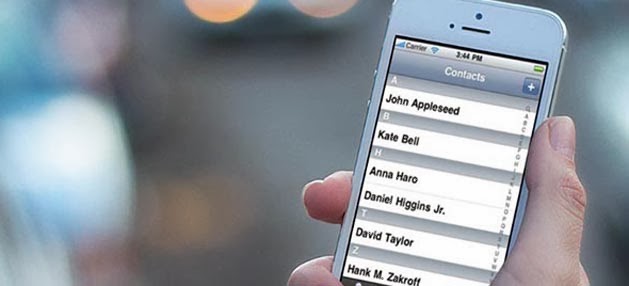
First of all, we must say that the best solution is to have a backup of your contacts, whether in iCloud , iTunes or any other service that allows us this task.
Restore a contact from the Contacts application on iCloud or OS X
For this we are going to enforce the latency or expected to have application synchronization with other devices. As we know, there are always a few seconds since we make any changes until this is reflected in other devices, so sometimes we complain about this, this time going to be our ally. This trick works with the application Contacts or Address Book or OS X version of iCloud.com . We must do the following:Disconnect your iPhone once the network connection going into airplane mode so that we clear all connections.
- Open the application Contacts in our OS X or iCloud.com and seek the deleted contact.
- Open the contact, go to the menu >File> Export and then Export vCard to save the contact to a file . vcf . This support contact on our computer if the next step does not work.
- With the selected contact, click on the arrow button Share and chose the "Send e-card" option to start the default email application with vCard contact attachment.
- Disconnect airplane mode to receive our iPhone contact.
- On the iPhone, open the message and selected attachment, select Create New Contact .
The reason to put the iPhone in airplane mode is for us to cut all connections and can not synchronize the accidental change that has been made ??in contact with the network. If we are ahead of our Mac we can disconnect the network, so that synchronization does not arrive and we have a backup of those deleted contacts.
Retrieve contacts re-synced with iCloud
This option only re-syncs your contacts with iCloud, though not always work to restore lost contacts . But if the previous option is not successful, we can always try. Yes, we should be quick again before the changes are synchronized.- Open the configuration and we will iCloud .
- We turned off the option Contacts .
- Select Keep on the iPhone when youre asked to do with existing contacts.
- We again turn on the option Contacts .
- Select the option Merge , to mix the contacts we have with those in iCloud.
- Let the application contacts to see if we have recovered the lost contact.
Go to link Download
Sunday, September 11, 2016
How to Correct Android Phones Contacts Display Problems
How to Correct Android Phones Contacts Display Problems

In case your Android phone experiences difficulties in displaying your contacts or it suddenly shot close when you try to access certain aspect of your contacts, here are some suggestions that may help you resolve the issues having no need to flash the phone.
Yes. It does happen sometimes that you wont be able to access your Android phones contact or certain aspect of the contact instead, it displays some error messages like; "Fail to display contacts", "Contact not responding" and so and so forth.
Resolving Contact Display Problem on Android Phones
Well, depending on how the problem came about, you can rectify the problem by doing either of the followings:1- The first possible reason why you may have had problem displaying the contact of your Android phone is that, you may have modified the settings of the phone unknowingly within the "Contact Display Options" area.
To correct this contact display error of your Android phone, navigate to your contact, press menu then; display options.
Home Button (Menu) <<>> Contact <<>> Menu <<>> Display Options
From here, select all the fields from which you want your contacts displayed.
2- Another issue that may have given cause to the contact display problem of your Android phone are the applications installed on the phone. Some of the applications installed on the phone may have modified the settings of the phone.
To correct this kind of problem, simply observe the applications you installed on the phone just before the problem begins. Uninstall them and restart your phone.
3- Well, having done the foregoing two options and yet; the problem persists, your last option is to reset the phone.
To reset your Android phone to factory defaults, simply navigate to;If you have any questions to ask or comments to make, simply use the comment box below
Menu <<>> Settings <<>> Privacy <<>> Reset Factory
You would be prompted to enter your access code, password, PIN or Security pattern depending on the privacy measure you use on the phone. Once you have passed the security test, the reset process begins immediately.
To reset your Android phone even if you have forgotten your password, PIN, Security codes or pattern drawings
Go to link Download
Subscribe to:
Posts (Atom)