Showing posts with label code. Show all posts
Showing posts with label code. Show all posts
Monday, November 28, 2016
How To Buy Airtime with GTBank using the Instant Top Up Recharge Code
How To Buy Airtime with GTBank using the Instant Top Up Recharge Code
Recharging one’s mobile line has never been easier as GTBank Nigeria has rolled out several methods to quickly purchase call credit or mobile recharge as it’s often called and get billed from your GTB account.
Simplest ways to recharge via GTBank in Nigeria
With the new GTBank recharge process, you simply need to send an SMS or dial a shortcode from your line, and your account get’s billed.
Note: You must use the same phone number which is registered on your GTB account. If not, this tutorial won’t work for you. If you might have misplaced your line used in your account registration, you’ll need to visit the nearest GTB branch so they get your new line running with your account.
Method 1: How To Recharge via GTB SMS
It’s quite easy, follow the steps below.
1. Launch the SMS app of your mobile phone and type “Network Amount NUBAN no.“. For instance, if you want to recharge your MTN line with 750 recharge, type “MTN 750 1234567890“. Please type without quotes, and remember that your NUBAN number refers to your GTB account number.
2. Send the SMS to 080766655555.
That’s all you need do as your phone would get recharged with your desired airtime as your accounts gets billed accordingly.
Method 2: Buying Airtime via GTBank’s Recharge ShortCode
This method is easier and yet effective to recharging via GTBank. All you need do is detailed as follows.
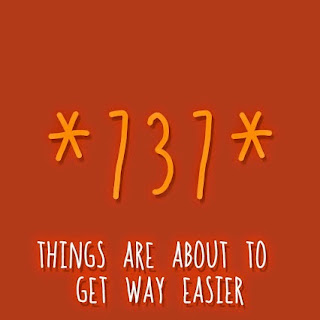
1. Dial *737*Amount# and that’s it. For instance, you want a N1,500 recharge, dial *737*1500# from the line used in your GTBank registration.
These are simple right? I hope this post is useful. Please kindly share this post on your social medias.
Simplest ways to recharge via GTBank in Nigeria
With the new GTBank recharge process, you simply need to send an SMS or dial a shortcode from your line, and your account get’s billed.
Note: You must use the same phone number which is registered on your GTB account. If not, this tutorial won’t work for you. If you might have misplaced your line used in your account registration, you’ll need to visit the nearest GTB branch so they get your new line running with your account.
Method 1: How To Recharge via GTB SMS
It’s quite easy, follow the steps below.
1. Launch the SMS app of your mobile phone and type “Network Amount NUBAN no.“. For instance, if you want to recharge your MTN line with 750 recharge, type “MTN 750 1234567890“. Please type without quotes, and remember that your NUBAN number refers to your GTB account number.
2. Send the SMS to 080766655555.
That’s all you need do as your phone would get recharged with your desired airtime as your accounts gets billed accordingly.
Method 2: Buying Airtime via GTBank’s Recharge ShortCode
This method is easier and yet effective to recharging via GTBank. All you need do is detailed as follows.
1. Dial *737*Amount# and that’s it. For instance, you want a N1,500 recharge, dial *737*1500# from the line used in your GTBank registration.
These are simple right? I hope this post is useful. Please kindly share this post on your social medias.
Go to link Download

Friday, November 25, 2016
How to Solve Error Code 2 140 21 or 2140 21 Canon Printers
How to Solve Error Code 2 140 21 or 2140 21 Canon Printers

How to Solve Error Code 2,140,21 or 2140,21 Canon Printers
How to Solve Error Code 2,140,21 or 2140,21 Canon Printers - Indeed, for this type of Canon printer frequently impaired either mechanical or software and for this time Ill give a little bit of explaining and Canon printer solution when you encounter an error 6000. Error 6000 is already common in the type of canon printer, and command errors are usually performed when we want to do pengeprinan out on the display screen of your computer monitor is Error 6000 as shown in the above image display.
If already looks like in the picture above you should not confuse this already common in this type of printer canondan all this happened because the mechanics on the Canon printer types are extremely fragile and quickly broken. For damage canon printer error 6000 is very diverse, but in essence this occurs in the mechanical printer itself.
This error appears when the scanner is used.
- "Printer is in use or an error has occurred. Check status. Scanner driver will be closed. Code :2,140,21"
Solution 1:
- On Windows: go to "devices"
- Click on "Printer"
- Click on "Stop printing".
- Reinstate the driver of the printer.
- Sometimes, replacing the cartridge could solve the problem
- If are not fix Call Canon +1-855-517-2433 (Toll Free)
Go to link Download
Subscribe to:
Posts (Atom)