Showing posts with label s. Show all posts
Showing posts with label s. Show all posts
Tuesday, November 29, 2016
How to download Facebook Paper still outside U S
How to download Facebook Paper still outside U S
Last week, the popular social network announced "Paper" , an app for iOS that displays a simple and friendly way the stories shared your community. And starting Monday, the same is already available but, for some strange reason, only to North America.

However, the good news is that the restriction is easily overcome. Next, we explain how to get Paper Facebook even outside U.S.
Before you go: Please note that to change the country or region where your data will delete any information of card of credit stored in iTunes. So make sure you have the data at hand and then enter them again.
Step by step:
And just as it is needed, here is the direct link to the application . Luck!
However, the good news is that the restriction is easily overcome. Next, we explain how to get Paper Facebook even outside U.S.
Before you go: Please note that to change the country or region where your data will delete any information of card of credit stored in iTunes. So make sure you have the data at hand and then enter them again.
Step by step:
- Open the App Store from your iOS device and on the homepage go to the bottom where youll find the email you registered on the service. Click the button.
- When the menu is displayed, select the "View Apple ID."
- After entering your password you will see your data, where you must select the country and region where you currently reside. Click on that option and the new menu select " Change country or region. " Must choose America.
- Accept the Terms and Conditions, after which Apple prompts you to enter a payment method. Since the Facebook app is free, you can choose not to enter payment details.
- Ends the change and return to the home page where you will see the available applications App Store U.S.. "Paper" is in the first section under "Best New Apps".
- Paper Once you download, you can go back to change the data following the same steps. Simple, right?
And just as it is needed, here is the direct link to the application . Luck!
Go to link Download

Thursday, October 6, 2016
How To Root Samsung Galaxy S Duos S7562 with pc tutorial
How To Root Samsung Galaxy S Duos S7562 with pc tutorial
This tutorial is to explain how to root Samsung Galaxy S Duos S7562. Before proceeding with the tutorial, if you are a newbie must check this tutorial..

How to root samsung galaxy s duos step by step
1. First make sure your mobile have the battery percentage level of minimum 70 to 80%.
2. Next enable the USB debugging mode by following the path Settings > Applications > Development > USB Debugging – Check box).
3. Next make sure you have backed up all the important data’s using appropriate backup applications.
Procedure:
1. First, download and install the Samsung KIES on your computer. In case if it is already installed, just ignore this step.
2. Next, download and extract the root files on your computer. After extracting you will be able to see the given below files.

3. After that connect your phone to the computer using USB cable and copy the SuperSU-v1.80.zip file to your SD card.
4. Then Power OFF your Samsung Galaxy S Duos S7562 smartphone and allow it to enter into the download mode.

5. To enter into the download mode press and hold the Volume Down button, Home Button and Power Button at the same time for 4-7 seconds.

6. While you are in download mode, you will see a yellow triangle like in the given below picture. Continue the process press the Volume Up Key.

7. Now, open the Odin3 (which you have already extracted in the Step#2) on your computer. Then connect your phone to the computer. [post_ad]

8. Once you have connected, Odin will automatically detect your phone and show the “added message.”

9. After that click the “PDA” button and select the recovery.tar file that you have extracted in the second step.

10. Now, click the “Start” button in Odin to start the flashing process.

11. After that you will see a Green Pass Message in Odin. Now, you can disconnect your phone from the computer. During this process, your device will restart automatically.

12. After that again Power OFF your phone and enter into the recovery mode. For that, you need to press and hold the Volume Up button, Volume Down button, Home button and Power button for few seconds until you boot into the recovery mode.[post_ad]
13. In the Recovery menu, select the “Install zip from SD card > Choose zip from SD card > Install SuperSu v1.80.zip”.
14. Once flashing is finished, select Go Back > Reboot System Now option from the recovery menu.

Must Read– > How to install and use Adobe Flash player on Android devices
Must Read– > Download HTC One M8 Stock ROM Firmware Flash File
Don’t forget to Share it with your friends via Facebook & Google+ and Twitter, And if you like the article best way to root samsung galaxy s duos and you may even Subscribe for New post, to get directly in your mail inbox.
Go to link Download
Thursday, September 22, 2016
How To Root the Samsung Galaxy S II
How To Root the Samsung Galaxy S II
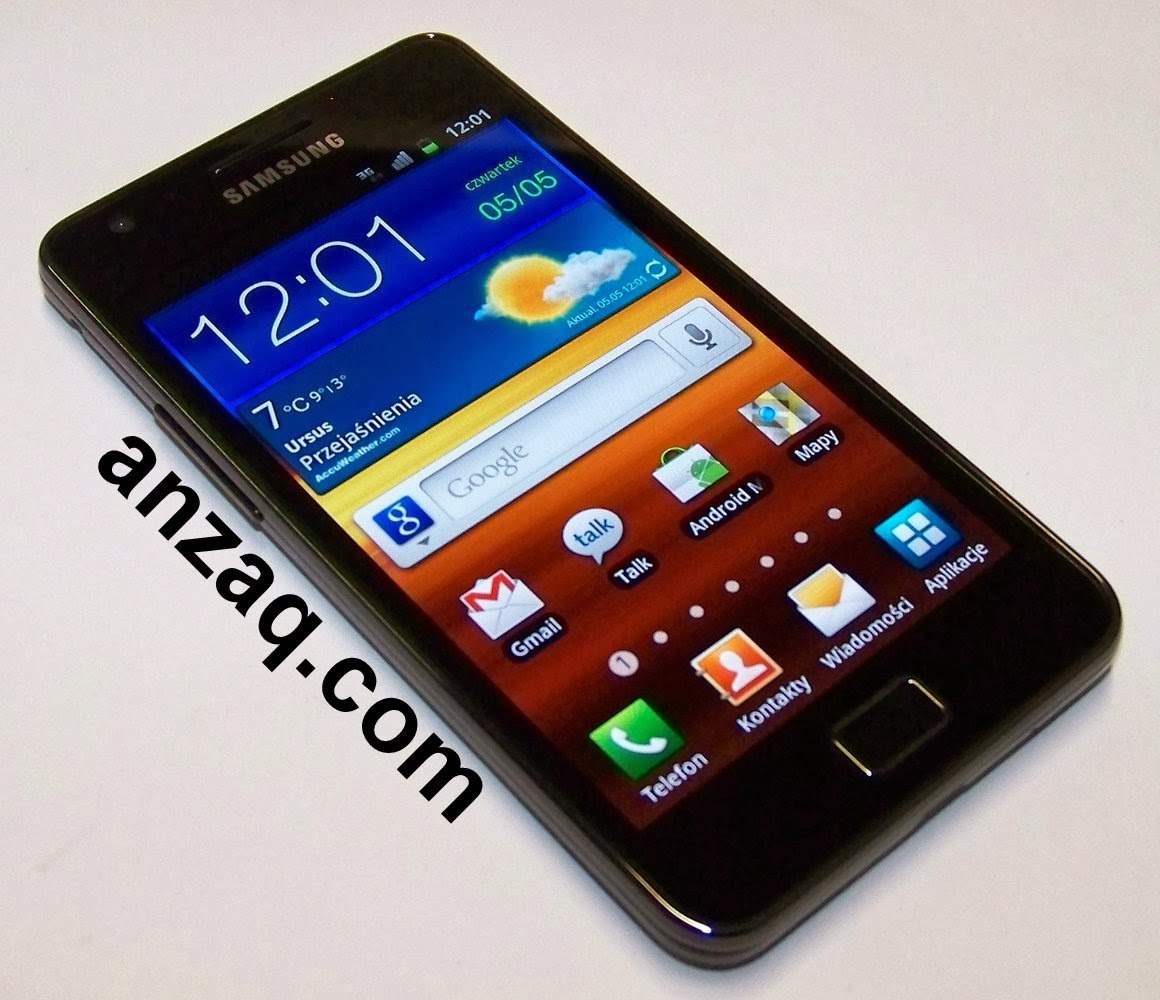
Samsung Galaxy S II has amazing features and specifications. It has high demand in market and attract customers due to its high performance. To spend life time with your Samsung Galaxy S II you must have knowledge how to use Samsung Galaxy S II in well manner way. If you want to root your Samsung Galaxy S II then this article may help you. You may have try many methods of rooting but not all work. I am explaining simple method with you to root Samsung Galaxy S II which can be used for all version not specific one. So follow given below simple and easy method to root your Galaxy phone.
Important Note:
Rooting of Galaxy will not remove all data from your phone, but as a precautions keep backup all your pictures, contacts, etc. before beginning this method. Just in case.II. Flash a Custom Recovery onto the Device
1. Download Samsung Kies form below link and install it on your computer.
Download Kies
2. Turn off your phone.
3. Hold down the Volume Up and Volume Down buttons at the same time and plug in your phone through USB cable while you have turn off the phone.
Must See: Top 5 Android apps For Habit Tracking
5. Close KIES when you have installed drivers and your phone is recognized by computer. If KIES is running and not close completely then it can create problems.
III. Root the Device
1. Mount the USB storage to transfer files when your phone is reboot.
2. Download the Superuser zip file from below link and save it to your computer.
Download Superuser
3. Place the Copy of Superuser .zip file in your device’s sd card. Copy ZIP files and never extract it.
4. Unplug the device from the computer and turn it off.
5. Turn the device back on by holding down the volume down, volume up button, and the power button. Hold the volume button till recovery screen comes up and device vibrate.
6. When recovery screen appears, use the volume buttons to scroll down to install zip from sd and then select the superuser .zip file.
7. Once it flashes, move back, then reboot system now.
8. If superuser icon appear in your device’s app drawer its mean you have done.
9. That’s all by above given steps you able to root your device.Share this information with your friends.Stay blessed.
See Also: How To Get Accepted Into CPA Networks
6. Download Odin from below link and open it.
Download Odin v1.8.5
7. Download the Recovery file for your phone and save it on computer. Downloading links for recovery files for some devices are given below.
T-Mobile Galaxy S II Recovery
Sprint Galaxy S II Recovery
AT&T Galaxy S II Recovery
Galaxy S II i9100 Recovery
8.Plugged in device and open Odin.Then follow instruction as Open Odin>>PDA button>>Choose Recovery file you just downloaded.
9. Select Start and it should flash the recovery to the device and reboot it.
III. Root the Device
1. Mount the USB storage to transfer files when your phone is reboot.
2. Download the Superuser zip file from below link and save it to your computer.
Download Superuser
3. Place the Copy of Superuser .zip file in your device’s sd card. Copy ZIP files and never extract it.
4. Unplug the device from the computer and turn it off.
5. Turn the device back on by holding down the volume down, volume up button, and the power button. Hold the volume button till recovery screen comes up and device vibrate.
6. When recovery screen appears, use the volume buttons to scroll down to install zip from sd and then select the superuser .zip file.
7. Once it flashes, move back, then reboot system now.
8. If superuser icon appear in your device’s app drawer its mean you have done.
9. That’s all by above given steps you able to root your device.Share this information with your friends.Stay blessed.
See Also: How To Get Accepted Into CPA Networks
Go to link Download
Saturday, August 27, 2016
HOW TO CONTROL MOUSE MOVEMENT USING AWESOME BODY GESTURES S
HOW TO CONTROL MOUSE MOVEMENT USING AWESOME BODY GESTURES S
 |
| HOW TO CONTROL MOUSE MOVEMENT USING AWESOME BODY GESTURES,S |
Are you want to convert your desktop of laptop in to kinect kind of thing you saw for those Microsoft consoles. There is an amazing tricky method which allows you to control your system mouse with bodys movement and gesture.
Camera mouse is an pioneering and modern device that can effortlessly move your mouse cursors by just using your body gesturess. It is like labeling something and using your webcam to follow that thing and when it moves it simply moves your mouse. There is no need to add extra hardware in your systems CPU. Just you need to install webcam it will work without any fault. precise use of this webcam is explained clearly on their official website cameramouse.org. This amazing tool is best for disable people or those which have any trouble to use the mouse. Just stick a dot and you are prepared to rock and roll.
This small tool have a lot of setting you can modify it and set it according to your requirement.You can select the clicking option that will able you to click anything in specific time period on setting panel.
Follow the given below easy step to download this tool and to use this tool on your system.
- Download camera mouse (DOWNLOAD)
- Extract the zip file to get exe setup.
- Double click on .ese setup.
- Install this software on your PC.
- A green rectangle icon will appear on your desktop
- Now run this tool by double clicking on green rectangle
- Your webcam will start running and your face would be detectable
- Now use your mouse to click on any part of your face or body to track
- A green or blue rectangle would be marked on that place on your body as shown in below image.

- This will start moving as you move, as your body will move cursor will start move.
- Now you can easily click on any part and entertain mouse movements with bodys movement.
DONT FORGET TO SHARE WITH YOUR FRIENDS BY CLICK ON THE BELOW LINKS
Go to link Download
Subscribe to:
Posts (Atom)