Showing posts with label v10. Show all posts
Showing posts with label v10. Show all posts
Tuesday, November 1, 2016
HOW TO FIX LG V10 NOT CHARGING PROBLEM
HOW TO FIX LG V10 NOT CHARGING PROBLEM

Bent, broken or pushed in connectors on the device or battery.
Phone is flawed.
Damaged battery.
Defective charging unit or cable.
Temporary phone downside.
Phone is flawed.
Changing Cables
The first issue to visualize once the LG V10 not charging properly is that the charging cable. Typically the charger cable has been broken or lost the right affiliation to charge the LG V10. Before getting a brand new cable, attempt switch it out with another USB cable that works to check if the difficulty is with the cable. If the opposite USB cable charges the LG V10, then believe obtaining a brand new LG V10 cable charger here.
Clean USB Port
Another common issue with the LG V10 not charging via usb is that theres one thing interference the affiliation to the smart phone. It may well be rubble, dirt or lint that stops the affiliation. an honest thanks to fix this issue is by inserting a little needle or paper click and move it around within the USB charging port to urge everything out. the bulk of the time, this can be the most issue once the LG V10isnt charging properly. however it’s necessary to notice that once improvement the USB port, watch out to not injury something and clean it out gently.
Reset LG V10
Sometimes the explanation that the LG V10 not charging once obstructed in is as a result of the code desires a revive. This technique is also a short lived fix the matter, however will facilitate fix the charging issue on the LG V10. scan the elaborated guide here.
Get Support From licensed Technician
If none of the on top of ways work for fixing the LG V10 not charging downside, another suggestion would be to require the smart phone and find it verified by a LG technician. If for a few reason the smart phone is want of repair and that they may well be ready to offer a replacement underneath the assurance.
Go to link Download

Friday, October 28, 2016
HOW TO SPEED UP WEB BROWSING TO LG V10
HOW TO SPEED UP WEB BROWSING TO LG V10
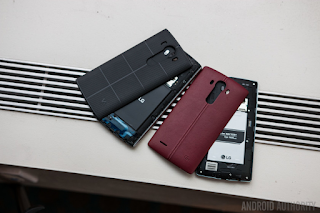
Below we’ll justify however youll be able to fix issues associated with web once it’s slow, laggy and buggy that cause a headache for thus many various users. the following pointers square measure from a Reddit user UN agency explains his very simple answer to up the net browsing expertise that works for the LG V10. What we’ll be doing is permitting the browser to use additional of the devices RAM to boost performance, particularly whereas scrolling.
Even though these changes won’t build your web speed immoderate quick, the following pointers can give you with an honest speed boost once browsing the net. The quicker web speed are going to be detected once mistreatment sites jam-packed with pictures or animated GIFs. thus if you wish a quicker net browsing on the LG V10, follow the directions below.
How to Speed Up net Browsing On LG V10
To speed up the LG V10, youll be able to access the hidden Google Chrome browser options. youll be able to access these choices by simply typewriting into the address bar. rather than typewriting Twitter.com within the address bar, follow the directions to access the hidden menu to induce quicker web speed:
Turn on the LG V10
Go to the Chrome Browser
Type or copy/paste “chrome://flags into the uniform resource locator bar”
Browse for “Maximum tiles for interest area” (#max-tiles-for-interest-area ) within the list
Tap the Dropdown menu titled “Default” and alter to 512
At the lowest, choose “Relaunch Now” to verify the changes
It’s vital to notice that you just mustnt modification the other choices or settings within the Chrome://flags menu, because it might cause the net browser to become unstable or perform but expected. Most of the choices square measure for beta testing or future options that have nevertheless to be completed.
After following the steps from higher than, you must currently be able to have a quicker web speed once mistreatment the Chrome Browser on your LG V10.
Go to link Download
Friday, September 16, 2016
HOW TO REMOVE AND CLEAR GOOGLE PLAY HISTORY IN LG V10
HOW TO REMOVE AND CLEAR GOOGLE PLAY HISTORY IN LG V10
How to take away & clear history in Google Play Store on LG V10:
Turn on your LG V10
Go to the Google Play Store
Wipe from the left to the center of the screen
Press the menu item “Settings”
Then choose on the ”Clear native Search History” choice
Select on Menu item and every one your past search history can become deleted.
After you follow the steps on top of, all of your search history within the Google Play Store are deleted on your LG V10.
Go to link Download
Subscribe to:
Posts (Atom)