Showing posts with label pack. Show all posts
Showing posts with label pack. Show all posts
Wednesday, October 26, 2016
How To Bypass Etisalat Chat Or Social Pack Speed Throttling
How To Bypass Etisalat Chat Or Social Pack Speed Throttling

Tweet
Bypass Etisalat Chat Or Social Pack Speed Throttle First download this particular Psiphon Handler from this link here, and also you must be on etisalat social pack, this does not work on chat pack so even you are on chat pack Unsubscribe and migrate to social pack. When you start to browse etisalat will send you a message that you have attain your smart pack limit usage, immediately switch off your data connection though sometimes you will still be browsing at a high speed rate. So if you notice your speed rate is slow especially when downloading just off your data and on it till you attain your desired speed. Check out this two screen
shots
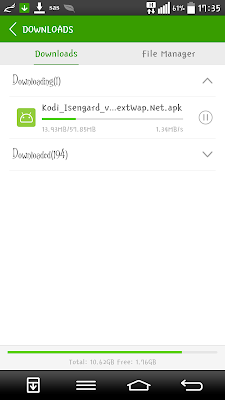
Etisalat Social Pack Speed with ss
Go to link Download

Friday, October 7, 2016
How To Make Your Windows XP 7 Server 2003 2008 Look Like Windows 10 With The Latest Transformation Pack
How To Make Your Windows XP 7 Server 2003 2008 Look Like Windows 10 With The Latest Transformation Pack
Windows 10 is all the rage these days. For those who are excited about Windows 10?s aesthetics, a Windows 10 Transformation UX Theme Pack has been released and shall dress your Windows XP, Vista, 7, 8, and 8.1 in all the makeup required to walk the Windows 10 ramp.
There are a number of Windows 10 transformation packs out there but ‘UX’ pack is this package’s ability to make changes to your Windows installation without patching the system files, making the transformation pack less likely to cause system issues.

This new Windows 10 Transformation/UX Pack carry the same installation procedure be it on Windows XP or Windows 8.1. As with most transformation packs, this one takes you through the setup allowing you to choose the customizations you want made to your existing Windows, but if that confuses you, you can always go the default way, which should be fine for most novice users.
The setup integrates new themes, wallpapers, icons, fonts, sounds etc. along with various third party tools to emulate certain looks and functions of Windows 10, such as the new Start Menu. You might think that it’s the same that is to be found on previous version of Windows, but in reality it is the new Windows 10 Start Menu with tiles which gives Windows 8 and 8.1 users a good chance to experience the new look and feel of the OS without actually installing it.

Windows 10 is currently available as a Technical Preview build for testing purposes only. If downloading and installing the Technical Preview is too much of a work for you, you can take the easier approach by downloading the transformation pack here , something that you can easily remove later.
Go to link Download
Subscribe to:
Posts (Atom)