Monday, November 21, 2016
How To Fix “This Copy of Windows Is Not Genuine” Notification in Windows 7
How To Fix “This Copy of Windows Is Not Genuine” Notification in Windows 7
Have you ever experienced the pop-up message “This Copy of Windows Is Not Genuine” which shows up once the copy of widows 7 you are running expires? Aside from the Windows OS expiring, another thing that causes this notification to show up is when you are running a pirated copy of the windows software.

What are the effects of not fixing this message?
There are couple of things which can happen to your computer when your Windows OS expires or reads not genuine, some of them which are:
- Your wall paper will disappear, and you won’t be able to put any either, your desktop screen will just go black
- Frequent and irritating 5 minutes pop up message reminding you that you are using a Windows OS that is not genuine
- Your system if after 30 days you did not fix the issue will go critical
Ordinarily, some folks will tell you that your computer needs to be formatted to be able to fix the problem (and you are charged heavily for that) while others will advice using some named softwares to resolve the problem. But in this post, I will be sharing with you two (2) simple steps I used to fix this problem for my friend.
To fix this problem with few minutes follow these instructions which I have divided into two (2) parts.
Note: You must complete the two parts to be able to get this problem fixed
PART I: Search and Uninstall Windows Update KB971033
PART II: Rearm Windows
Here are the procedures
PART I: Search and Uninstall Windows Update KB971033
Step 1: Go to "Control Panel" and click on Windows Update
Step 2: Look to the bottom left corner of the page and click on "Installed Updates" If the link isn’t there, hit “View Update History” and hit then “Installed Updates” link at the top.
Step 3: Scroll down to the section titled “Microsoft Windows” and look for update KB971033.
Step 4: Right click it and hit “uninstall”. Hit okay. (Note: There are many updates with KBxxxxxxxx, make sure you select KB971033)
Step 5: Restart your computer and head on to PART II
PART II: Rearm Windows
Step 1: Click the Start Menu and type COMMAND PR in the start menu search box.
Step 2: Right click COMMAND PROMPT and select RUN AS ADMINISTRATOR.
Step 3: In the command prompt window type:
and press enter. (Note: There is a space between slmgr.vbs and -rearm, so make sure you type it with the space)

Be sure to turn off windows update or else you will face the same problem again. Alternatively, you can hide Windows Update: KB971033 in your windows update history.
The method I have provided in this post is 100% safe and guaranteed more than that of using a software. If you follow the step by step guide correctly, you should have the problem fixed.
What you should have in mind
There is however, one thing you should know, this post is not an encouragement to be using a pirated copy of Windows, it would be very nice you buy a genuine software that way you are guarantied.This post is only a temporary help to fix the problem while you work on getting a genuine copy of Windows OS.
Go to link Download

Wednesday, November 9, 2016
How to Check if your Mac Malware Definitions List is Updated
How to Check if your Mac Malware Definitions List is Updated
How to Check if your Mac Malware Definitions List is Updated
STEP 1. First you have to launch the Terminal of Mac OS X.STEP 2. Now you have to paste the command given below in the Terminal of Mac OS X:
cat /System/Library/CoreServices/CoreTypes.bundle/Contents/Resourses/XProtect.meta.plistSTEP 3. Now simply look at the data entry between the string tags, as shown in the image below:

The integer tag shows which version the definitions list is and the date listed shows when the file was last modified. In this way you can manually check whether the Malware definitions list of your Mac is updated or not.
Go to link Download
Monday, November 7, 2016
How to Enable the God Mode in Win 7 and Why it is Overrated
How to Enable the God Mode in Win 7 and Why it is Overrated
So first off, why is this completely silly? Well, the text “GodMode” has nothing to do with making the trick work. You can call the folder “EvilMode.{ED7BA470-8E54-465E-825C-99712043E01C}”and now you’ve discovered the magical “EvilMode” feature hidden in Windows!
Go to link Download
Monday, October 31, 2016
How Much is JAMB Form 2016 – eRegistration Portal www jamb org ng
How Much is JAMB Form 2016 – eRegistration Portal www jamb org ng

- Download JAMB Brochure
How Much is JAMB 2016 Form?
”The registration fee for the UTME is N5,000 and candidates are also to pay N500 to obtain the textbook, The Last Days at Forcados High School’.”Candidates will, however, be issued the book at the point of registration after showing evidence of payment,” the statement stated.
HOW TO BUY JAMB 2016 UTME E-REGISTRATION SCRATCH CARD?
- Zenith Bank
- Sky Bank
- First Bank
- Ecobank
- Fidelity Bank
Closing Date for JAMB 2016 Registration Form
The registration deadline for 2016 JAMB is on January 31, 2016 (i.e JAMB 2016 e-Registration will close on January 31, 2016, please take note).
JAMB 2016 e-Registration Prerequisite
1. Purchase your Scratch Card from any of the approved selling points
2. Download the e-registration form template
3. Fill it and get your recent (Not more than 3 months) Passport Photograph scanned into JPEG format
4. Take the filled form along with you to any of the approved Registration centres and ensure that your two (2) thumbs prints are captured (Biometrics).
5. This can be done (with DIGITAL PERSONA Scannner ONLY) online or offline
6. No Licence is required for DIGITAL PERSONA Scannner
7. Biometrics details and complete registration details can also be captured offline
8. Your PIN and Serial Number shall be required during Offline and Online registration
9. For ease of registration, you are advised to capture your Biometrics and complete Registration details offline
Like it, Share it
Go to link Download
Tuesday, October 18, 2016
How Do You Use Your iPad Mine Is My TV Chatroom
How Do You Use Your iPad Mine Is My TV Chatroom
How Do You Use Your iPad? Mine Is My TV [Chatroom]:


Go to link Download
Saturday, October 15, 2016
How safe is Android – Vanguardia Liberal
How safe is Android – Vanguardia Liberal
Android joined the rewards program vulnerabilities Google, which rewards security researchers every time they find and report a ‘bug’.
One of the things that are more challenging to Android is its safety. Its broad application ecosystem can filter makes ‘apps’ unofficial, some not as safe as we think.
For the second consecutive year, Google is launching its latest annual report on security in Android. In this note we’ll look at how Google services protect the ecosystem of Android. According to Adrian Ludwig, head of Engineering, Android Security, efforts have focused on protection:
1. ‘Malware’ and other potentially harmful applications (PHA, for its acronym in English). They reviewed more than 6,000 million installed applications per day.
2. Network-based threats and computers, by scanning 400 million devices per day.
3. insecure websites to hundreds of millions of users of Chrome on Android, using secure browsing.
The company continues to make it more difficult to meet PHA in Google Play. Improvements last year reduced the likelihood of installing a potentially harmful application from the store by more than 40% compared to 2014. Within Google Play, the installation attempts for most categories of PHA decreased, including:
• data Collection Apps. It fell more than 40%, to 0.08% of the facilities.
• ‘Spyware’. He declined 60% to 0.02% of the facilities.
• hostile Downloader. It decreased by 50%, to 0.01% of the facilities.
In general, these applications are installed in less than 0.15% of devices that only downloading ‘apps’ Google Play.
it is also essential to protect users who install applications from sources other than Google Play. Service applications to verify that protects these users will have improved the effectiveness of the warnings from the application verification in more than 50%.
Rewards
Android joined the rewards program vulnerabilities Google, which rewards security researchers whenever they find and report any ‘ bug’. In this way, they have repaired more than 100 reported vulnerabilities and have paid them more than $ 200,000 to researchers for their findings.
In August, they released their public monthly program security update for the project Android open source, as well as periodic security updates for devices. Manufacturers have joined the cause and provided monthly security updates for hundreds of models of Android devices, but, despite this progress, many Android devices still do not receive monthly updates and are increasing their efforts to help partners to upgrade more devices in a timely manner.


Go to link Download
Thursday, October 13, 2016
How To Answer Your Calls From Another Persons Phone if Your Battery Is Low Or Your Phone Is Off
How To Answer Your Calls From Another Persons Phone if Your Battery Is Low Or Your Phone Is Off

Before you totally run out of battery dial **21* phone number of the person you want to receive your calls from # send.
From then, if somebody call you it will ring on the persons phone.
You can cancel it anytime from your own SIM card by dialing ##21# and send. Remember if you dont have battery on your phone at all, you can also remove your SIM card and put it into another persons phone then put the code stated above {**21*} in any case remember to dial ##21# from your own SIM to cancel.
Go to link Download
Sunday, October 9, 2016
How To Check Balance When Network Is Bad Using MTN
How To Check Balance When Network Is Bad Using MTN

Text 8 to 131 then send, instantly your balance will show.
Go to link Download
Saturday, September 17, 2016
HOW TO KNOW IF YOUR LAPTOP IS A REFURBISH COMPUTER
HOW TO KNOW IF YOUR LAPTOP IS A REFURBISH COMPUTER
While a fairly used laptop are the types of quality laptops that are already used by someone who bought it from the manufacturers before selling it out. When a laptop computer did not pass the quality standard after manufacturing or if returned as a result of malfunctioning, they are refurbished (i.e. repaired) before selling at discount price.
Also ,How to Identify Refurbish Laptop Computers include d,
This means they undergo repairs either mechanical or aesthetically to fix the failing unit before selling them out usually at lower price than the original. Most refurbished laptops usually carry a 30 day store warranty and 90 days warranty with the manufacturers.
So How Do I Know If a Laptop computer is Brand New or Refurbished?
A refurbish product usually have an additional R at the end of the product number or product ID. For example a product number with NB232UAR#ABA is a refurbish notebook while NB232UA#ABA is a brand new notebook. If you want to know the type of laptop you are about to buy whether it is a refurbish laptop or a brand new one from a vendor, they are two ways to identify it.
1. Check for a sticker at the back of your laptop or battery pack to see the product number.
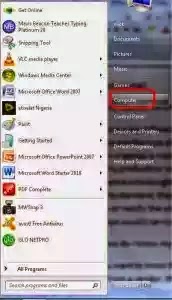
2. Click on the Start menu of your computer, Right-click on Computer,
then scroll down to check the product ID. Or hold Window key + R and type MSinfo32 in run, then hit enter to reveal the product number
We love comments. Please do not leave without giving us one. We will appreciate it. Thank you
Go to link Download
Sunday, September 4, 2016
How To Remove PPSync From Your Jailbroken Device And Why Is It Necessary
How To Remove PPSync From Your Jailbroken Device And Why Is It Necessary

Jailbreak developers are strongly recommending the users to uncheck the box on the installer GUI. Check out this article to know why and how to remove PPSync from your device.
Click here to continue reading..
Go to link Download
Thursday, September 1, 2016
How to find who is Invisible on Yahoo messenger
How to find who is Invisible on Yahoo messenger
There is this small trick that you can use to find out what the truth is.
Firstly open your yahoo messenger main window and double click on the name of the person whom you want to check. The chat window will open obviously.
Click IMVironment button, select See all IMVironments, select Yahoo! Tools or Interactive Fun, and click on Doodle.
After loading the Doodle imvironment there can be two possibilities
1.If the user is offline Doodle are will show this “waiting for your friend to load Doodle” continuously .See in the picture below:

2. If the user is online (but in invisible mode), after few seconds (it can take up to one minute, depending on your connection speed), you should get a blank page like in the picture below. So you know that the user is online.

Go to link Download