Friday, November 25, 2016
How To Recover Your Andriod Phone When Your Forget Your Pattern
How To Recover Your Andriod Phone When Your Forget Your Pattern
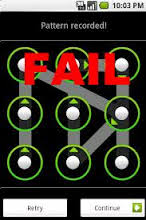
Its frustrating when you want to open your phone and you forgot your lock screen pattern. Getting your phone working again is pretty simple. I know two(2) ways to unlock it if you completely forgot how to unlock it. You can either use your Google account or hard reset your device. I will show you both.
This might not work for all phones as different phones have different designs especially later models (In this tutorial, my phone is running Gingerbread).
Additionally, you can go back to where you bought your device or to a professional but that will cost money; the ones Im showing you are free.
Step 1: Use your google account
- At the bottom right part of the screen, youll see "Forgot Pattern" button.
- Tap it and it will ask you to enter your email and password.
- Type in the required information and tap "sign in" and youll be redirected to Google play.
- There youll see instructions. Just follow them and youll be fine.
Step 2: Boot to Android System Recovery
- You can start by powering off your device in any way you can.
- Removing the sd is optional.(It makes sure that the process wont delete the files there.)
- Then, turn the device on by holding down the Power Button and Volume Down rocker simultaneously. In some phones, there may be other combinations like Power + Home / Power + Volume Up / Power + Volume Up and Down / etc.... you can try other combinations on yourself and see which ones work.
- If youre successful, an option will appear. Select "System Recovery" by pressing volume up. On some phones, it goes directly to the Android System Recovery Screen .
- Youll see the Android System Recovery screen (If you dont see it, try again with other key combinations)
Step 3: Hard Reset And Done
Android System Recovery will be shown
- Using the volume rocker, select "wipe/factory data reset"(in my case, the 3rd option shown)
- Select it by tapping on the left soft key (the key used for menu/options or menu in some phones)
- Confirm it by selecting yes
- Wait for it to finish
- After that, press home button to go back and select "reboot device" (1st option shown).
- This might take longer than usual because your device is configuring.
- After that, youll see your home screen and youre done. Just like when you bought it.
Go to link Download

Saturday, November 19, 2016
How To Automatically Close The Edge Browser When Windows 10 Opens It
How To Automatically Close The Edge Browser When Windows 10 Opens It
Download Edge blocker and run the app. Click the ‘Block’ button and minimize the app. Any time Edge opens, Edge Blocker will close it.

To be fair, Edge Blocker is not without its faults. When you minimize the app, it continues to appear on the Taskbar instead of minimizing to the system tray. It’s also a bit slow at closing Edge. The browser window will open and you will see the big blue loading screen before Edge Blocker closes it.
There’s room for improvement but if Microsoft is going to persistently push the unwanted browser on to users, these little apps are going to become popular fairly fast despite their shortcomings. The current state of Edge on the preview builds is not too encouraging. Granted the browser is going to be a half-baked version on a preview build, it’s still disappointing. In the Preview Build 14342, it’s almost impossible to use and for a browser that’s been around for almost a year now that isn’t encouraging in any way.
Download Edge Blocker For Windows
Go to link Download
Friday, November 11, 2016
HOW TO POST MORE THAN 140 CHARACTERS WHEN TWEETING
HOW TO POST MORE THAN 140 CHARACTERS WHEN TWEETING

Though Many Users on Naijaloaded already know about this but for the sake of those who are requesting for it, We decided to Publish it.
Writelonger allow you to Post More than 140 Characters to Twitter when Composing a New Tweet or Other Writings, This Means you can Post Longer Tweets on Twitter when others are not allowed to Post more than 140 Characters.
HOW CAN I POST MORE THAN 140 CHARACTERS WHEN TWEETING?
1. Its very Simple, Just Visit http://www.writelonger.com , Click on the "Sign in with Twitter/OAuth" Link and Login with your Twitter Username and Password. They dont store your Information, So youre 100% safe.
2. You will be Logged in and can now Update your Status, If you dont have any Twitter App Installed on your Device, You can use their Website to Use Twitter.. Its very Simple to use and Understand. You will love it.
>> You can Check Post that youre Mentioned in, Check Trending Topics, Upload Images easily, Flip your Updates and Many More.
Enjoy hassle free Tweeting for with excellent services offered by Writelonger. Click on the Share/Like Button if you like this Post.
Go to link Download
Sunday, October 9, 2016
How To Check Balance When Network Is Bad Using MTN
How To Check Balance When Network Is Bad Using MTN

Text 8 to 131 then send, instantly your balance will show.
Go to link Download
Thursday, October 6, 2016
How install Android Marshmallow on your AT T branded Priv when not using an AT T SIM
How install Android Marshmallow on your AT T branded Priv when not using an AT T SIM
Now that AT&T has officially released Android Marshmallow for the BlackBerry Priv, Im sure many of you out there who took advantage of those unlocked AT&T branded Priv deals but not actually using the device on AT&T are wondering how you can get in on the Marshmallow action as well. Heres how it can be done.

Now that AT&T has officially released Android Marshmallow for the BlackBerry Priv, Im sure many of you out there who took advantage of those unlocked AT&T branded Priv deals but not actually using the device on AT&T are wondering how you can get in on the Marshmallow action as well.
Previously, it was noted that BlackBerry was working on a solution but, there have been no status changes in that area yet. Luckily, though, you dont really have to wait for BlackBerry. Along with the official AT&T release, an autoloader file was released, which in this case can be used to install Android Marshmallow on your AT&T branded Priv when not using an AT&T SIM.
Read More »

Read more>> Source Link http://ift.tt/29EnK6j via CrackBerry.com - The #1 Site for BlackBerry Users (and Abusers!)
Go to link Download
Sunday, September 18, 2016
How to get back retrieve your 2go password free of charge when you Forget it
How to get back retrieve your 2go password free of charge when you Forget it
Don Zikk0 M????? ? BlackBerry pin » 215F5BDC
2go Username » Biz2Get
Share all of this †o ur friends!
Just follow this steps:
===> go to 2go.com.ng
===> Click on Get Help
===> After that click on "forget my my password or pin
===> You will be prompted to enter your phone number,so enter the
phone number you use to register for 2go but in an international
format.eg if your number is 08136788902,you will enter
2348136788902.
===> After that you will receive your 2go username and password on
your phone. Hope this helps
Add me on 2go: username is: Biz2Get
Go to link Download
Monday, September 12, 2016
How Old Was Genevie Nnaji a Nigerian actres when she Started Acting
How Old Was Genevie Nnaji a Nigerian actres when she Started Acting

How Old Was Genevie Nnaji a Nigerian actres when she Started Acting.
Nollywood Actress Genevieve Nnaji Biography: Genevieve Nnaji, MFR, (born May 3, 1979) is a Nigerian actress. In 2005 she won the African Movie Academy Award for Best Actress during a Leading RoleGenevieve Nnaji Biography – Early Life
Nnaji was born in Mbaise, Imo State, Nigeria but grew up in Lagos, Nigeria. She is the fourth of eight children and was brought up in a middle class environment. Her father worked as AN engineer and her mother as an instructor. She attended Methodist Girls Collage Yaba, Lagos before furthering onto the University of Lagos. whereas at the university Genevieve began auditioning for acting jobs amongst the various Nollywood projects.
Genevieve Biography – Modelling

Nnaji has featured in many commercials a number of that embrace Pronto beverage and Omo detergent. In 2004 she became the “Face of Lux” in Nigeria during a extremely lucrative sponsorship deal. 2008 saw Nnaji launching a consumer goods line (clothing), “St. Genevieve”, that donates its takings to charity. In may 2010 Nnaji was appointed to be the official “Face of MUD” in African most populous country (Nigeria).
Genevieve Nnaji Biography – Awards and nominations
Nnaji has received many awards and nominations for her work, together with the best thespian (Actress) of the year award at the 2001 town folks Awards and also the Best thespian during a Leading Role award at the 2005 African Movie Academy Awards.
Go to link Download